
MapleStory Classic World Guide: Release Date, Classes & How to Play
MapleStory Classic World brings Nexon’s classic-era MapleStory experience back with a free Grand Launch on October 21, 2026. Players begin as a Beginner before choosing Warrior, Magician, Bowman, or Thief, so new players should prepare their download method, Nexon account, and preferred class before starting.
This guide will cover the release time, Steam and Nexon Launcher downloads, class choices, and practical beginner tips for leveling and early progression.
What Is MapleStory Classic World?
MapleStory Classic World is Nexon’s official classic-style version of MapleStory, built for players who want slower leveling, familiar early maps, simple job progression, and more party-focused gameplay. It recreates the feel of MapleStory from around 20 years ago while adding balance adjustments, gameplay improvements, and quality-of-life changes for modern players.

MapleStory Classic World Release Date and Launch Times
MapleStory Classic World officially launches on October 21, 2026, at 11:00 AM PDT. Check the table below to find your regional launch time.
| Time Zone | Grand Launch Time |
|---|---|
| PDT | October 21, 2026 – 11:00 AM |
| EDT | October 21, 2026 – 2:00 PM |
| UTC | October 21, 2026 – 6:00 PM |
| CEST | October 21, 2026 – 8:00 PM |
| KST | October 22, 2026 – 3:00 AM |
| AEST | October 22, 2026 – 4:00 AM |
Note: Founder’s Access began October 6, with progress carrying into Grand Launch. Grand Launch will be free to play from October 21, while Founder’s Package sales are now closed.
How to Download and Play MapleStory Classic World
You can play MapleStory Classic World through the Nexon Launcher or Steam. The Nexon Launcher offers a smaller standalone client, while Steam packages MapleStory and Classic World together in a larger unified installation.
Play Through Nexon Launcher
Follow the steps below to download the standalone MapleStory Classic World client through the Nexon Launcher and start playing.
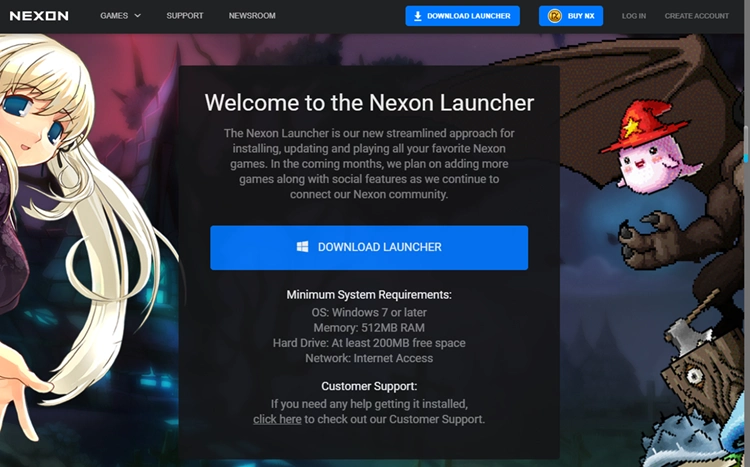
Step 1. Download and install Nexon Launcher, then sign in to your verified Nexon account.
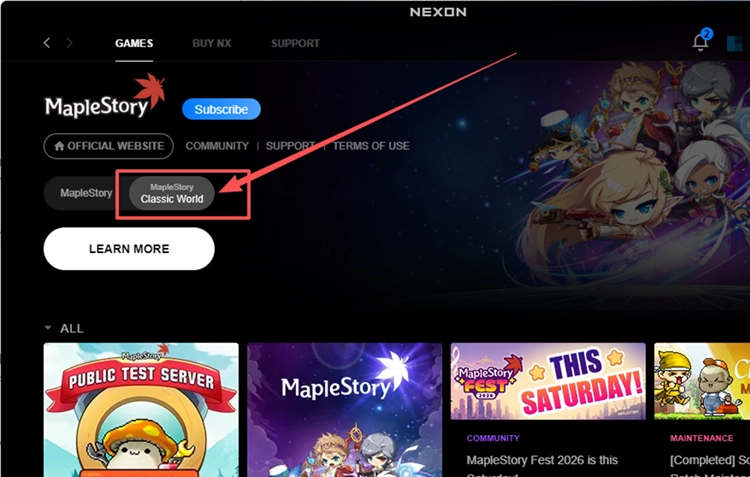
Step 2. In the Nexon Launcher, locate MapleStory in your library, select MapleStory Classic World, and download the standalone client.
Step 3. Once the service is available for your account, launch MapleStory Classic World and create your character.
Play Through Steam
Follow the steps below to install MapleStory through Steam, link your Nexon account, and enter MapleStory Classic World.
Step 1. Open Steam, install MapleStory, and let all pending updates finish.
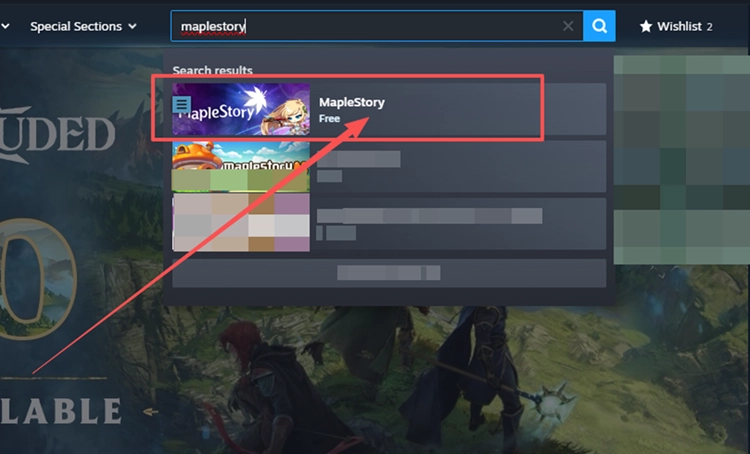
Step 2. Link Steam to the Nexon account you want to use for MapleStory Classic World.
Step 3. Launch MapleStory, select MapleStory Classic World, and enter the game.
MapleStory Classic World Classes: Which Should You Choose?
MapleStory Classic World has four main class paths, each with a different combat style. Your best choice depends on whether you prefer durability, range, magic, or faster attacks.
Compare the Four Starting Classes
Every character begins as a Beginner before advancing into Warrior, Magician, Bowman, or Thief. Your first class determines your basic combat style and the second-job paths available later.
| Class | Combat Style | What Beginners Should Consider |
|---|---|---|
| Warrior | Close-range melee with high HP | Durable and forgiving, but you need to fight close to enemies |
| Magician | Ranged magic that consumes MP | Good ranged attacks, but MP and potion management matter |
| Bowman | Ranged physical attacks | Keeps enemies at a distance, but positioning is important |
| Thief | Fast attacks with daggers or claws | Quick and flexible, but less forgiving when taking damage |
These differences become more important as you progress. Warriors favor durability, Magicians rely heavily on MP, Bowmen reward careful positioning, and Thieves focus on faster, more mobile combat.
Choose a Class for Your Preferred Playstyle
Choose Warrior if you want a straightforward melee class that can take more hits. Pick Magician if you prefer ranged spells and do not mind managing MP. Bowman works well for players who like attacking safely from range, while Thief suits players who prefer faster attacks and a more agile playstyle.
Beginner Tips for Leveling, Mesos and Party Play
Early progression in MapleStory Classic World is slower and more resource-focused than modern MapleStory. Use quests, efficient training, party content, and careful spending to progress smoothly.
Complete Maple Island and Your First Job Advancement
Complete the early Maple Island quests to gain EXP, mesos, and experience with the game’s basic systems. Decide on your class early, then complete your First Job Advancement once you meet its requirements instead of continuing to level as a Beginner.
Combine Quests, Efficient Training and Party Quests
Mix quests with monster training rather than relying on one leveling method. Fight enemies you can defeat quickly without excessive potion use, and complete nearby quests while farming. From level 21, the Kerning City Party Quest is another useful option for EXP and group play.
Save Mesos and Plan Your Early Build
Save early mesos for potions, useful gear, and necessary progression instead of spending on every small upgrade. Before using AP or SP, check the requirements and build direction for your chosen class. Classic World uses older-style character progression, so early stat and skill planning matters.
[Bonus] Improve MapleStory Classic World Connection Stability with LagZapper
MapleStory Classic World relies on an online connection for character movement, combat, looting, and party play. If high ping, packet loss, lag spikes, or unstable routing causes delayed responses, LagZapper can optimize the route between your PC and the game server to help improve connection stability.
Why Use LagZapper for MapleStory Classic World?
LagZapper can help MapleStory Classic World players:
- Smart Route Optimization: Finds a faster and more stable route to game servers to help reduce high ping, packet loss, jitter, and routing instability.
- Reduce Lag & Improve Stability: Helps lower ping, reduce game lag, limit lag spikes, and improve connection stability while leveling or playing with a party.
- One-Click Boost: Optimizes your MapleStory Classic World connection without manually changing complicated network, DNS, or router settings.
- Support for 3,000+ Games: LagZapper supports more than 3,000 online games on PC.
How to Boost MapleStory Classic World with LagZapper
Follow these three steps to optimize your MapleStory Classic World connection before entering the game.
Step 1. Download and Install LagZapper
Download LagZapper for Windows and follow the on-screen instructions to complete the installation.
Step 2. Find MapleStory Classic World
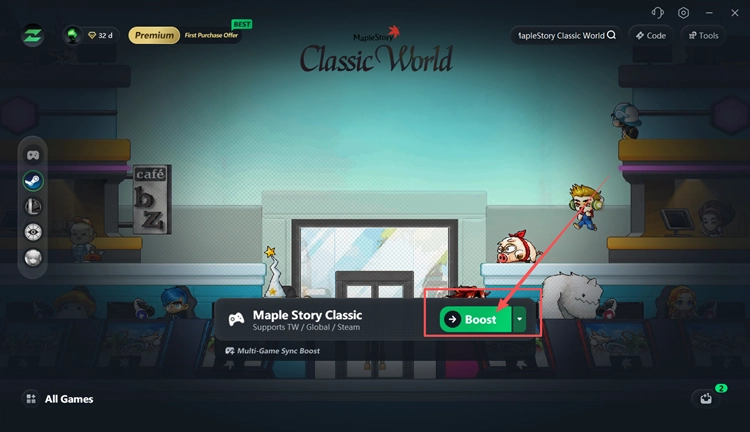
Open LagZapper, sign in, and search for MapleStory Classic World in the game list.
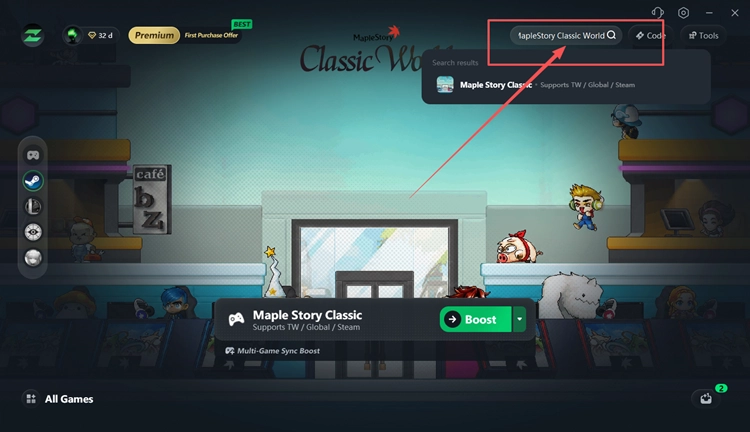
Step 3. Select a Node and Click Boost
Choose a recommended server and node, then click Boost before launching MapleStory Classic World.
The Bottom Line
MapleStory Classic World officially opens for free on October 21, 2026, bringing back a classic-style MapleStory experience with Warrior, Magician, Bowman, and Thief paths. Players can access it through Steam or the Nexon Launcher, then use quests, efficient training, Party Quests, and careful meso management to build their first character.
If high ping, packet loss, or unstable routing affects your gameplay, download LagZapper to optimize routing, lower ping, and improve connection stability.
MapleStory Classic World FAQs
Q1. What Is MapleStory Classic World?
MapleStory Classic World is Nexon’s official classic-style version inspired by early MapleStory gameplay.
Q2. What Is the MapleStory Classic World Release Date?
MapleStory Classic World launches globally on October 21, 2026, at 11 AM PDT.
Q3. Where Is the MapleStory Classic Download Available?
The MapleStory Classic download is available through the Nexon Launcher and Steam.
Q4. How Does MapleStory Classic World Steam Access Work?
Steam packages MapleStory and Classic World together, so you need the base MapleStory installation first.
Q5. What MapleStory Classic World Classes Are Available?
The available classes are Warrior, Magician, Bowman, and Thief after starting as Beginner.
Q6. Where Should Beginners Start in a MapleStory Classic Guide?
Start with Maple Island, class selection, early leveling, mesos management, and Party Quests.