
RF Online Next Global Release Date: Platforms, Gameplay & Download Guide
RF Online Next, the long-awaited successor to the classic sci-fi MMORPG RF Online, is finally preparing for its global launch. As anticipation continues to grow among both returning veterans and newcomers, many players are searching for the RF Online Next global release date, supported platforms, and download options. This guide will cover everything officially confirmed so far, including the release date, RF Online Next PC and mobile availability, key gameplay features, and how to get started once the game becomes available worldwide.
Featured Event: LagZapper × RF Online Next Official Collaboration
When Is the RF Online Next Global Release Date?
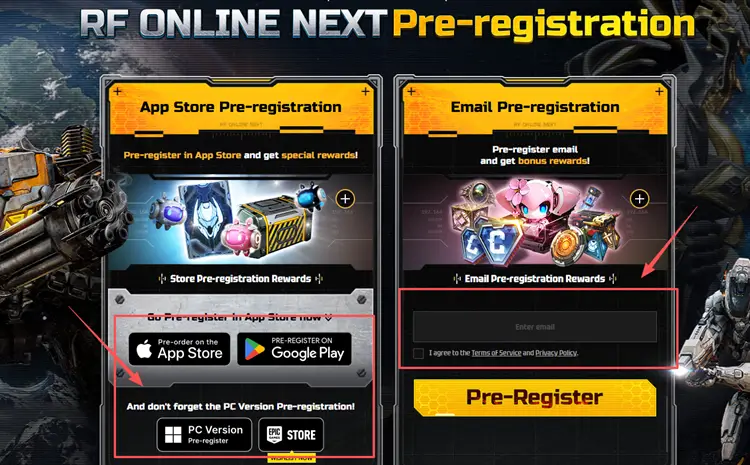
The RF Online Next global release date has been officially announced by Netmarble. RF Online Next will launch worldwide on JUNE 16, 09:00 PM (UTC-5) for both PC and mobile platforms. This means players interested in the RF Online Next PC version and RF Online Next mobile version will be able to begin their journey on the same global launch schedule. With the RF Online Next release date now confirmed, players can already pre-register through official channels.
What Platforms Will RF Online Next Be Available On?
Developed by Netmarble as the official successor to RF Online, the game features large-scale faction warfare, giant combat machines, flexible class progression, and a shared world across PC and mobile devices. Players will be able to enjoy RF Online Next gameplay through both the PC client and mobile version, ensuring seamless access to battles anytime, anywhere.
RF Online Next PC Version
Players can access the PC client via the Netmarble Launcher or Epic Games Launcher. Ahead of the RF Online Next global release date, be sure to review the official RF Online Next system requirements. Whether your setup meets the RF Online Next minimum requirements or the recommended specifications, checking compatibility beforehand can help ensure a smooth launch-day experience. See the table below for details.
| Category | Minimum | Recommended |
|---|---|---|
| OS version | Windows 10 (64-bit) or later | Windows 10 (64-bit) or later |
| CPU | Intel i5 8400 | Intel i5 12400 |
| Memory | 12 GB | 16 GB |
| GPU | NVIDIA GeForce GTX 1060 | NVIDIA GeForce RTX 2060 |
| DirectX | DirectX 12 | DirectX 12 |
| Storage | 30 GB | 30 GB |
RF Online Next Mobile Version
The RF Online Next mobile version brings the same sci-fi MMORPG universe to Android and iOS devices, allowing players to participate in faction-based warfare and progression systems anytime, anywhere.
RF Online Next Gameplay Explained
RF Online Next gameplay combines large-scale faction warfare, flexible class switching, mechanized combat, and aerial mobility into a sci-fi MMORPG experience. Let's take a closer look at three key gameplay features that define the RF Online Next experience.
Flexible Biosuit Class System
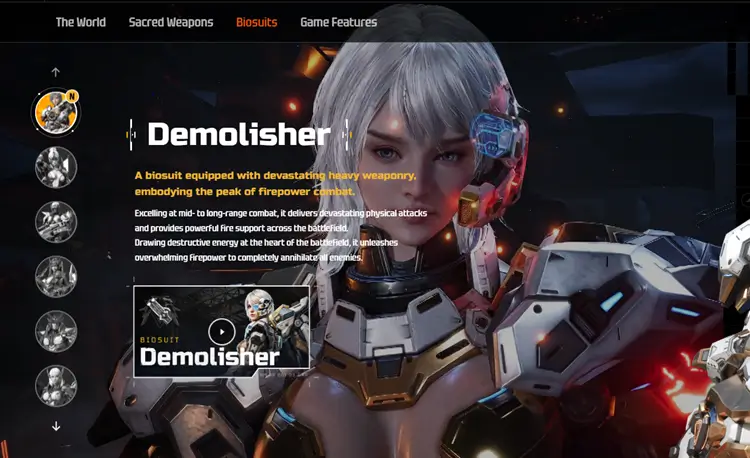
One of the most distinctive features of RF Online Next gameplay is its flexible Biosuit system. Unlike traditional MMORPGs that require players to create multiple characters for different roles, RF Online Next allows players to switch between multiple Biosuits and combat styles without losing character progression. Each Biosuit offers unique skills and combat functions, enabling players to adapt to different situations such as PvP battles, world boss raids, and large-scale faction warfare. This system provides greater freedom in character development while making team composition and battlefield strategy more dynamic and accessible for both new and experienced players.
Giant Mechs, MAUs and Animus Warfare
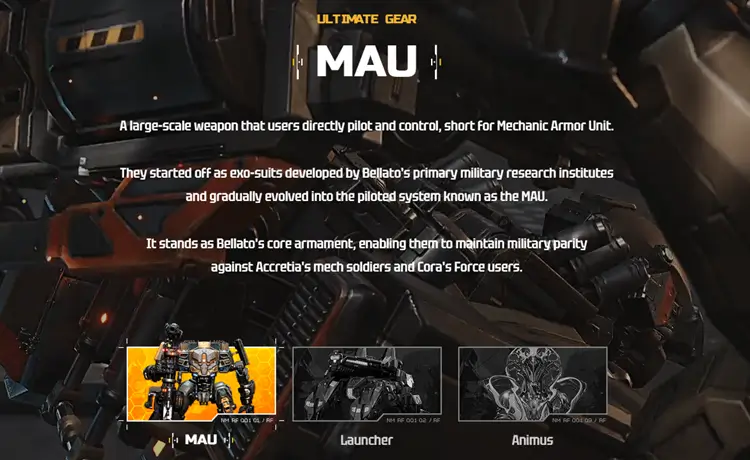
Mechanized warfare is another major highlight of RF Online Next gameplay. Players can deploy powerful battlefield weapons such as MAUs, Launchers, and Animus, each offering unique combat advantages during PvP battles and large-scale conflicts. Unlike traditional MMORPGs that focus solely on character abilities, RF Online Next integrates massive combat machines and powerful summons directly into the battlefield, creating a more dynamic sci-fi combat experience. Whether charging through enemy lines with a giant mech or using strategic support from Animus, these battlefield assets can significantly influence the outcome of faction wars and major encounters.
Massive Faction Warfare & Free-Flight Combat
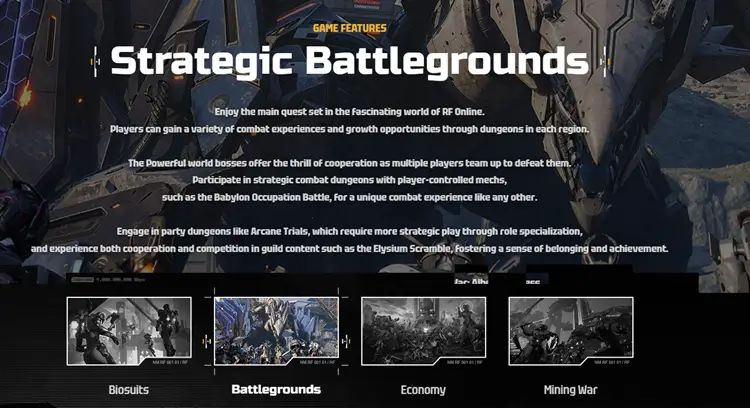
Faction warfare has always been a defining part of the RF franchise. Players can participate in massive PvP battles to compete for valuable resources, strategic objectives, and faction dominance across the battlefield. To make combat more dynamic, RF Online Next also introduces a free-flight system that allows players to move seamlessly through the air and engage enemies from different angles. Combined with fast-paced faction conflicts, aerial mobility adds an extra layer of strategy to both large-scale wars and open-world encounters. This unique combination of faction-based competition and three-dimensional combat helps distinguish RF Online Next from many traditional MMORPGs.
How to Download RF Online Next on PC and Mobile
#1. Download RF Online Next on PC
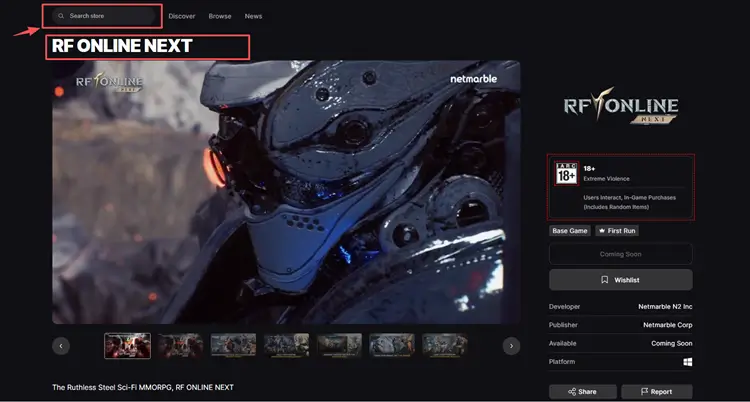
Getting started with the RF Online Next PC version is simple. Players can download the game through the Netmarble Launcher or the Epic Games Launcher, ensuring a smooth installation and automatic updates. The PC client delivers the full RF Online Next gameplay experience, making it the ideal platform for players seeking the most immersive MMORPG action.
#2. Download RF Online Next on Android or iOS
For players on mobile devices, the RF Online Next mobile version is available on both Android and iOS devices. Simply visit the Google Play Store or Apple App Store, search for “RF Online Next,” and install the official app published by Netmarble.
Step 1: Open the Google Play Store on your device
Step 2: Search for RF Online Next and tap “Install” once it becomes available.
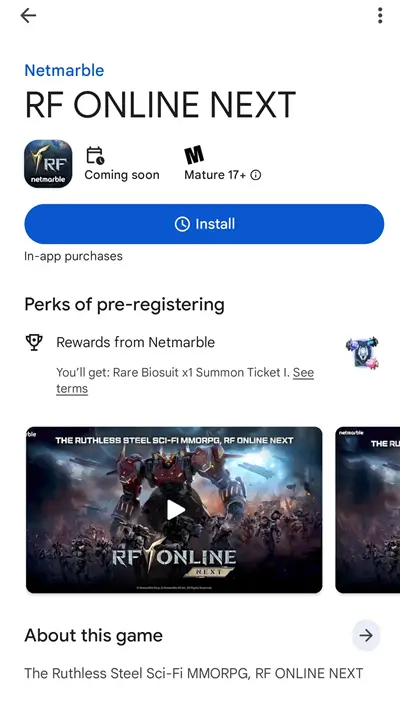
This process also applies to iOS users downloading the game from the App Store.
[Bonus] How to Optimize Your RF Online Next Gameplay with LagZapper
If you want to enjoy a smooth and stable RF Online Next gameplay experience without interruptions, a reliable connection setup can make a noticeable difference. LagZapper helps optimize your routing, reduce latency spikes, minimize packet loss, and keep your gameplay experience more stable across different servers and regions.
How to Boost RF Online Next with LagZapper [Step-by-Step Guide]
Step 1. Download and Install LagZapper
Download LagZapper for Windows and follow the on-screen instructions to complete the installation.
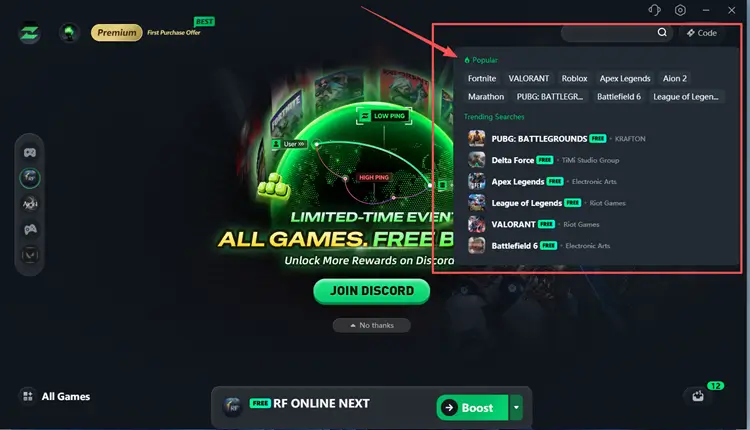
Step 2. Open LagZapper and Search for RF Online Next
Launch LagZapper, and then use the search bar or browse the supported games list to find RF Online Next.
Step 3. Boost and Play RF Online Next
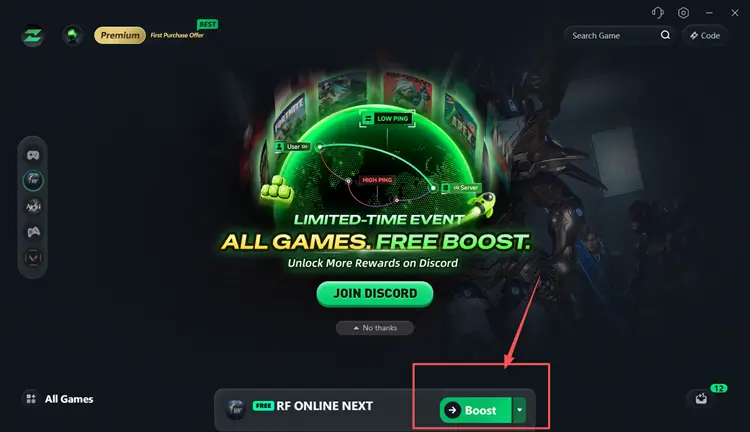
Select your preferred server or node if needed, then click Boost to boost RF Online Next.
Tip: LagZapper supports 3,000+ online games, including Fortnite, VALORANT, and Path of Exile 2.
FAQ
Q1: When is the RF Online Next global release date?
RF Online Next is scheduled to launch worldwide on June 16 at 09:00 PM (UTC-5) for both PC and mobile platforms, allowing players to access the game simultaneously across devices.
Q2: What platforms will RF Online Next be available on?
RF Online Next will be available on PC and mobile devices, supporting both Android and iOS, with cross-platform access to the same global servers.
Q3: Is RF Online Next available on Steam?
Currently, RF Online Next is not confirmed to be available on Steam. The PC version is expected to be distributed via the Netmarble Launcher and Epic Games Launcher instead.
Q4: How can I download RF Online Next on PC?
You can download RF Online Next on PC through the Netmarble Launcher or Epic Games Launcher once the game is officially released. Simply install the launcher, search for the game, and start downloading.
Q5: How do I install RF Online Next on mobile?
On mobile devices, go to the Google Play Store or Apple App Store, search for RF Online Next, and install the official version published by Netmarble.
Q6: What is RF Online Next gameplay like?
RF Online Next features large-scale faction warfare, real-time PvP battles, Biosuit class switching, mech-based combat, and world boss raids, delivering a modern sci-fi MMORPG experience across PC and mobile platforms.