
VAMPIR Global 2 Launch: Release Date, Server Regions & Download Guide
VAMPIR is Netmarble’s vampire-themed cross-platform MMORPG, bringing its dark fantasy world to both PC and mobile. VAMPIR Global 2 is not a sequel but a new server region opening on July 22, 2026, bringing more players into its shared competitive world. This guide will explain what the Global 2 launch means and help you start playing VAMPIR on PC or mobile.
When Is the VAMPIR Global 2 Release Date?
VAMPIR Global 2 opens on July 22, 2026. Check the table below for the corresponding launch time in each supported region.
| Regions | Corresponding Local Time |
|---|---|
| Japan and South Korea | July 22, 12:00 PM (JST/KST) |
| Taiwan, Hong Kong, and Macau | July 22, 11:00 AM (UTC+8) |
VAMPIR Global 2 Server Regions
The VAMPIR Global 2 server region brings players from several Asian markets into a shared environment. Regional availability determines who can join, while shared content shapes how those players interact after launch.
Supported Regions for VAMPIR Global 2
VAMPIR Global 2 supports players in Japan, South Korea, Taiwan, Hong Kong, and Macau. Japan joins the four existing markets when the new region opens, giving players across all five regions access to the same expanded competitive environment.
Cross-Region Play and Shared Server Features
Players from South Korea, Japan, Taiwan, Hong Kong, and Macau can join Global 2 servers and compete within the same cross-region ecosystem. Netmarble has also announced plans for an integrated marketplace across Global 2 servers, while Clan Occupation Battles will introduce seasonal competition involving clans from across all servers.
What Can Players Expect from VAMPIR Global 2?
Players joining the new Global 2 region can experience VAMPIR’s established dark-fantasy MMORPG gameplay, while separate launch events offer additional activities and rewards during the opening period.
Dark Fantasy MMORPG Gameplay
Players entering Global 2 can experience VAMPIR’s dark-fantasy MMORPG gameplay in a gothic world shaped by blood, fear, and vampire mythology. Its brutal visual direction carries across field hunting, character progression, and competitive content.
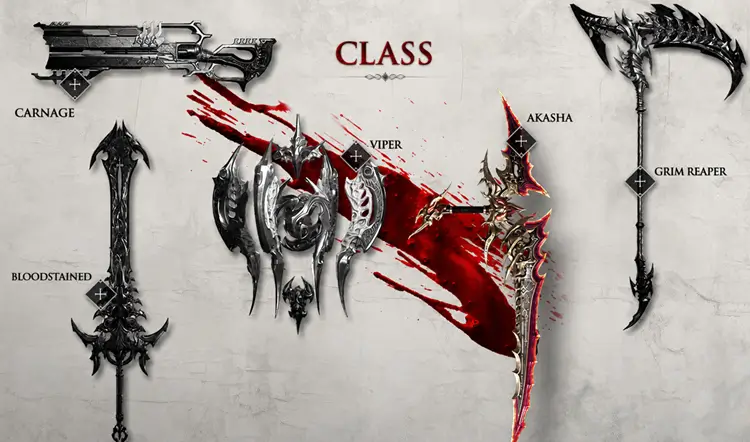
Combat features distinct vampire classes with different weapons, skills, and fighting styles. Blood-soaked effects and class-based progression reinforce the setting while giving new Global 2 players a clear sense of how VAMPIR plays.
Global 2 Launch Events and Rewards
Players who completed Global 2 pre-registration can receive an Epic mount and 100 million gold, giving new characters a useful head start when the region opens.

The Red Moon Festa begins on July 22 and will continue through September. Players can earn more than 1,100 Form and Mount summons, a VAMPIR hoodie cosmetic, time-limited Epic gear, and special artifact boxes. Additional launch bonuses include 20% more experience and gold, along with doubled daily quest rewards.
How to Play VAMPIR on PC and Mobile
Players can access VAMPIR Global 2 on PC and mobile. Follow the steps below to download the game and check PC requirements.
#1. Download VAMPIR on PC
PC players can download VAMPIR through the VAMPIR official website and install it with the Netmarble Launcher. After installation, log in to your Netmarble account and launch the game directly from the client.
Step 1. Download the Netmarble Launcher, sign in or create an account, and search for VAMPIR.
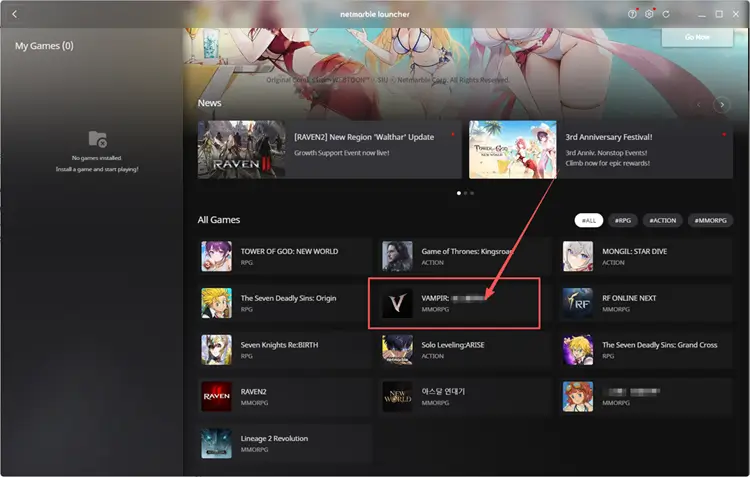
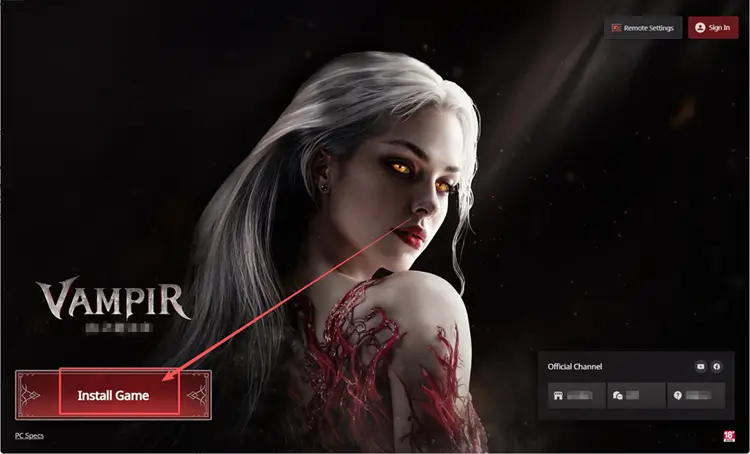
Step 2. Open the VAMPIR page and click Install Game.
Step 3. Click Play Game after the installation finishes.
Before downloading VAMPIR on PC, check whether your system meets the minimum or recommended specifications below.
| Component | Minimum Requirements | Recommended Requirements |
|---|---|---|
| CPU | Intel Core i5-10400AMD Ryzen 5 3600 | Intel Core i7-11700KAMD Ryzen 7 5700X |
| RAM | 16GB | 16GB |
| GPU | GeForce GTX 1060Radeon RX 580IntelArc A580 | GeForce RTX 2060Radeon RX 5700 XTIntelArc A750 |
| Operating System | Windows 10 64-bit | Windows 10 64-bit |
| Storage | 20GB | 20GB |
| DirectX | Version 12 | Version 12 |
Tip: Although the listed storage requirement is 20 GB, Netmarble recommends having approximately 30 GB of free space before the initial installation.
#2. Download VAMPIR on Android and iOS
Mobile players can install VAMPIR directly from Google Play or the App Store in supported regions. Check that Netmarble Corporation is listed as the developer before downloading the official app.
Step 1. Open Google Play on Android or the App Store on iPhone and search for VAMPIR.
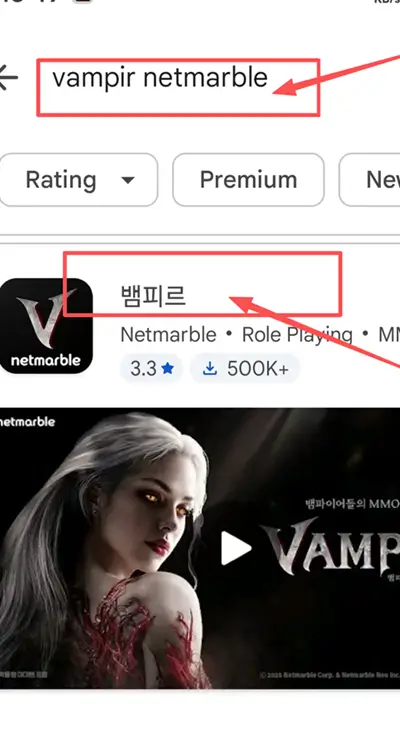
Step 2. Select the app published by Netmarble Corporation and tap Install or Get.
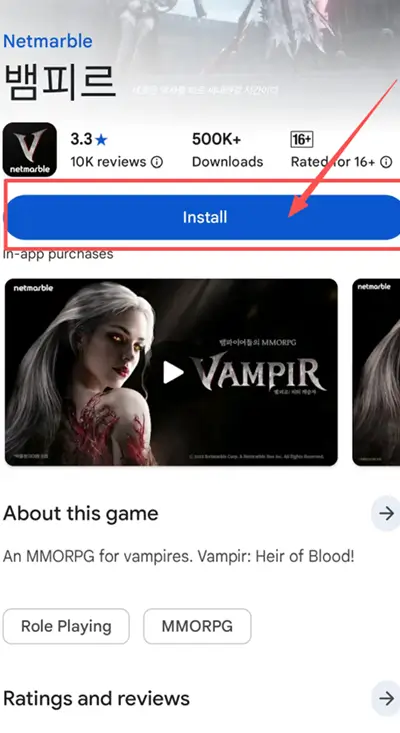
Step 3. Open VAMPIR after installation, sign in, and select an available server in the Global 2 region.
[Bonus] How to Reduce VAMPIR Global 2 Lag with LagZapper
VAMPIR Global 2 brings players from Japan, South Korea, Taiwan, Hong Kong, and Macau into one competitive region. A stable connection is essential for responsive combat and smooth online play. If high ping, packet loss, or delayed responses persist while the servers are online, inefficient routing may be responsible. LagZapper can help optimize the connection path for smoother gameplay.
Why Use LagZapper for VAMPIR Global 2?
- Smart Route Optimization: Automatically finds a faster and more stable route for VAMPIR, helping reduce high ping, packet loss, jitter, and unstable connections.
- Reduce Lag and Improve Stability: Lower ping spikes, reduce game lag, and make movement, combat, field hunting, and clan competition feel more responsive.
- One-Click Boost: Optimize your VAMPIR connection in seconds without manually changing complicated router, DNS, or Windows network settings.
- Support for 3,000+ Games: Use LagZapper across more than 3,000 online games, including Fortnite, VALORANT, Path of Exile 2, and other popular online games.
How to Boost VAMPIR with LagZapper [Step-by-Step Guide]
LagZapper is currently available for Windows. You can follow the steps below to optimize your VAMPIR connection with LagZapper.
Step 1. Download and Install LagZapper
Download LagZapper for Windows and follow the on-screen instructions to complete the installation on your PC.
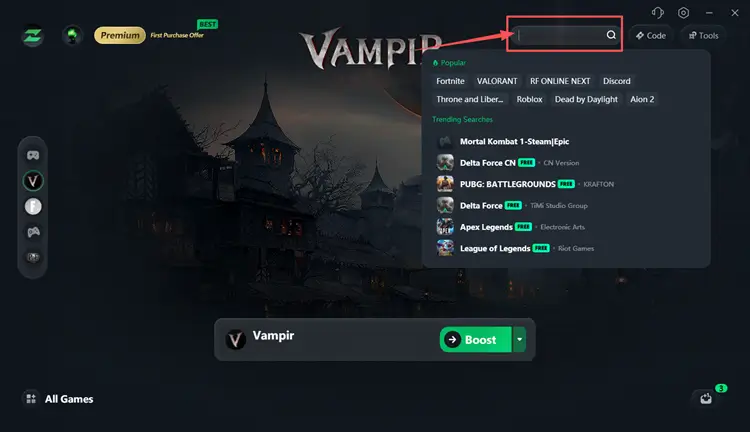
Step 2. Open LagZapper and Search for VAMPIR
Launch LagZapper, then use the search bar or browse the supported games list to find VAMPIR.
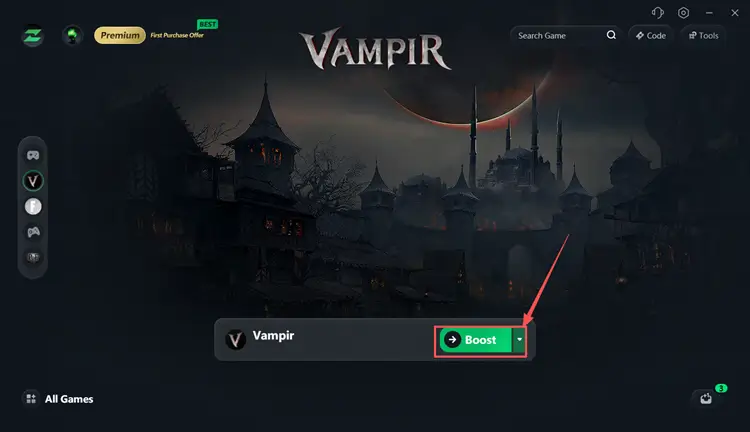
Step 3. Boost and Launch VAMPIR
Select a suitable server or node when available, then click Boost before launching VAMPIR.
The Bottom Line
VAMPIR Global 2 opens on July 22, 2026, bringing players from Japan, South Korea, Taiwan, Hong Kong, and Macau into the same competitive region. Players can join through PC or mobile, receive eligible launch rewards, and participate in Red Moon Festa and upcoming clan-focused content. If high ping, packet loss, or unstable routing affects your PC connection, download LagZapper to optimize the network route and enjoy smoother VAMPIR gameplay.
FAQs About VAMPIR Global 2
Q1. When Is the VAMPIR Global 2 Release Date?
The VAMPIR Global 2 release date is July 22, 2026.
Q2. Which Regions Can Access the VAMPIR Global 2 Server?
Japan, South Korea, Taiwan, Hong Kong, and Macau can access the VAMPIR Global 2 server.
Q3. Can Players from Different Regions Play Together in Global 2?
Yes. Players from all five supported markets compete together within the Global 2 region.
Q4. How to Play VAMPIR on PC?
Install the Netmarble Launcher, sign in, search for VAMPIR, install the game, and click Play Game.
Q5. Is VAMPIR Global 2 Available on Android and iOS?
Yes. VAMPIR is available through Google Play and the App Store in supported regions.