
How Do I Redeem a Discount Code?
If you received a discount code through one of LagZapper’s promotional channels, follow these steps to redeem it:
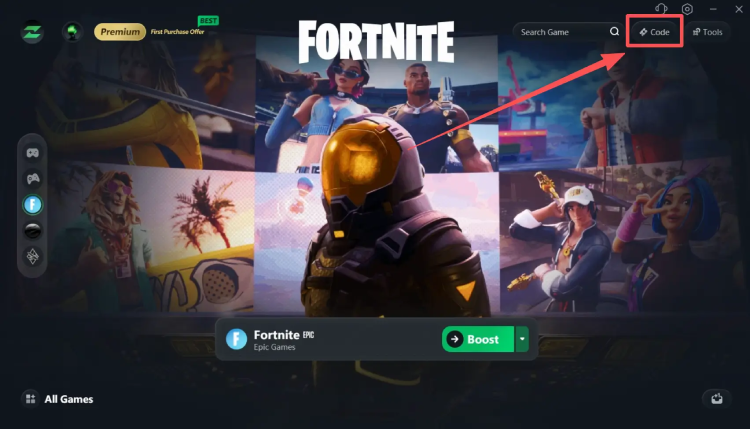
1. Open the LagZapper client and click Code in the upper-right corner.
2. Enter your code.
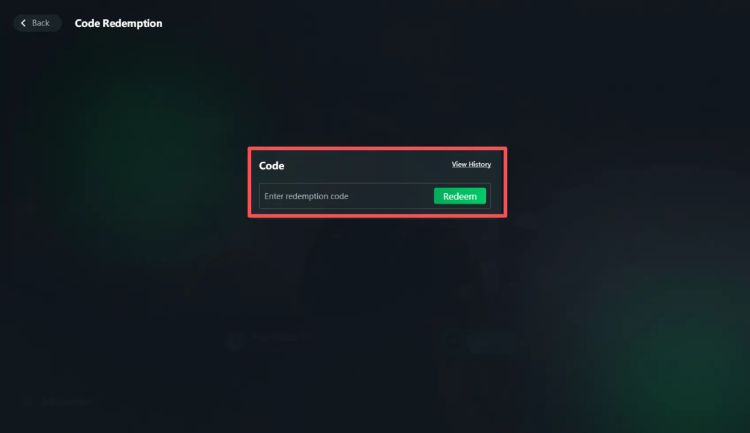
3. Click Redeem to add the corresponding coupon to your account.
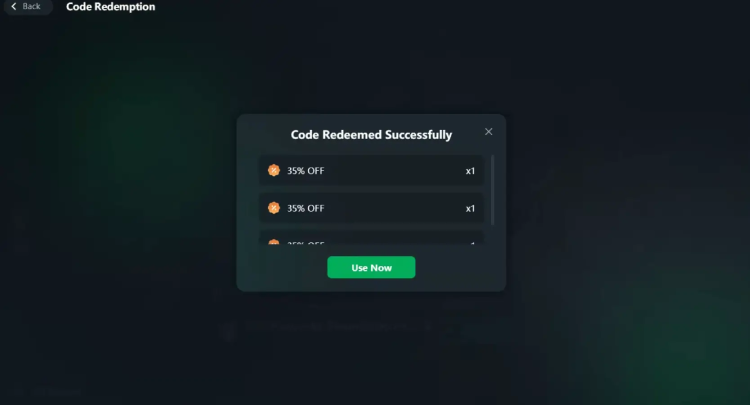
4. When you proceed to checkout, the coupon will be applied automatically.
Please make sure that the discount code is entered correctly and is still valid. If you are unable to redeem or use your coupon, please contact our Support Team for assistance.