Bilibili Identity Verification Guide
This guide explains how players outside China can complete identity verification for Lord of Mysteries through Bilibili. Since some parts of the process require visiting Chinese-language webpages, we recommend using LagZapper’s screenshot translation feature to help you better understand the page content and complete the required steps more easily.
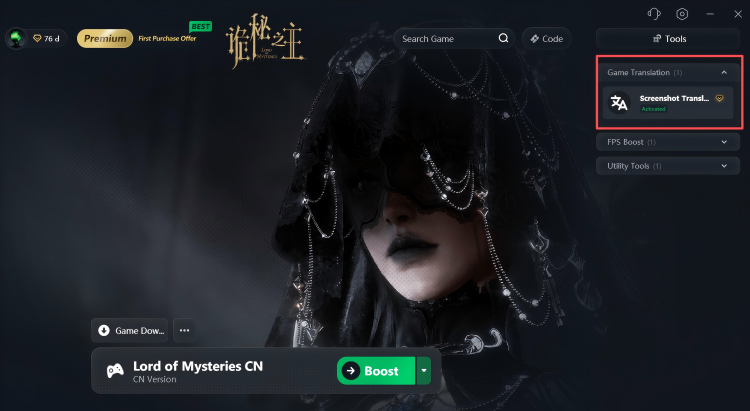
Step 1. Search for and Open the Official Bilibili Website
Open Google, search for Bilibili, and go to the official Bilibili website.
Step 2. Register and Log In to Your Bilibili Account
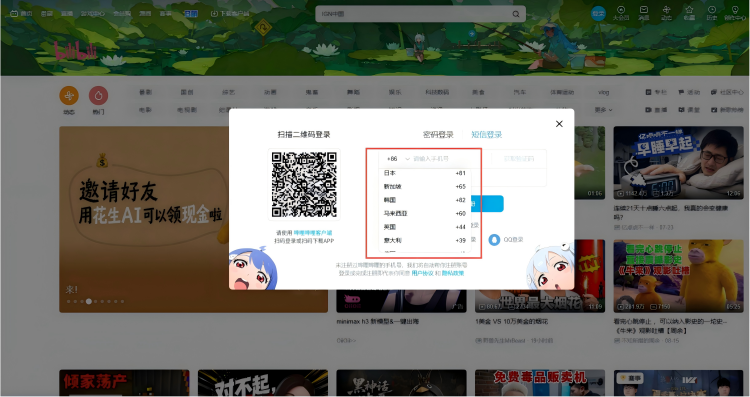
When registering a Bilibili account, you can use a phone number from your local region. After successfully registering and logging in, please do not close the Bilibili website for now, as you may need to return to this page later to check your account information during the identity verification process.

Step 3. Complete Identity Verification
Go to the Bilibili Game Customer Service Center: https://game.bilibili.com/kf/
After opening the page:
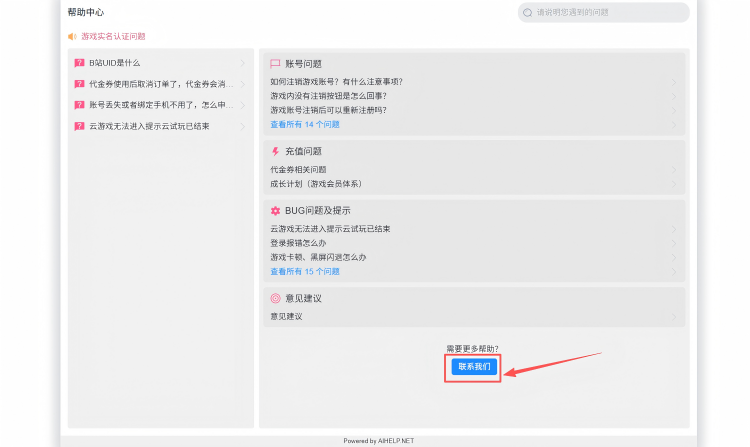
- Scroll to the bottom of the webpage and find “联系客服”;
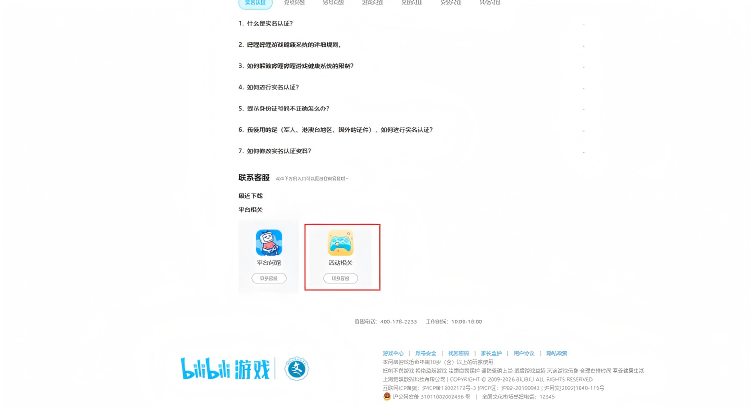
- Click “联系我们”;
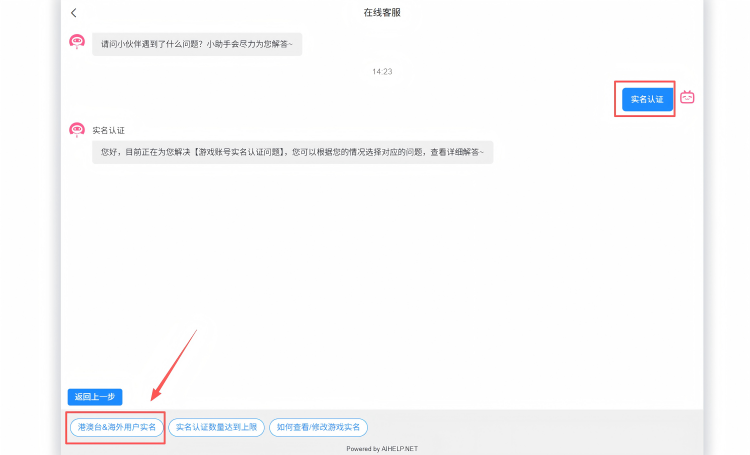
- Send “实名认证” in the customer service chat. Then, based on the reply, click “港澳台&海外用户实名”;
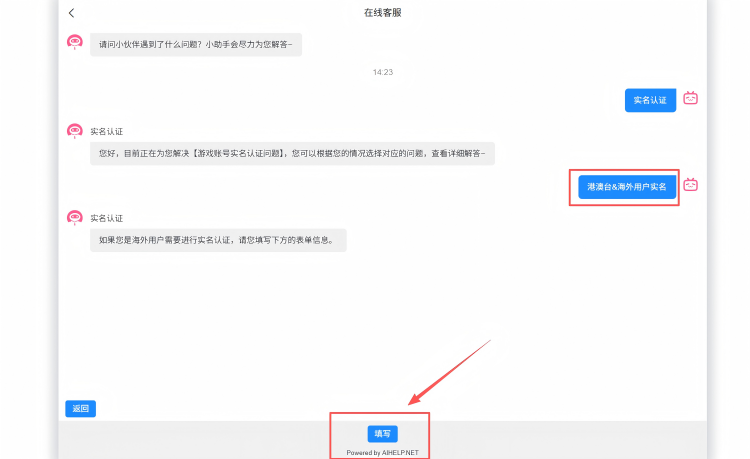
- Click “填写” to open the identity verification form.
Step 4. Wait for the Verification Result
After submitting your identity verification request, please wait for it to be reviewed. The verification result will be sent to the email address you entered in the form, so please check your inbox.
Step 5. Download and Install the Game
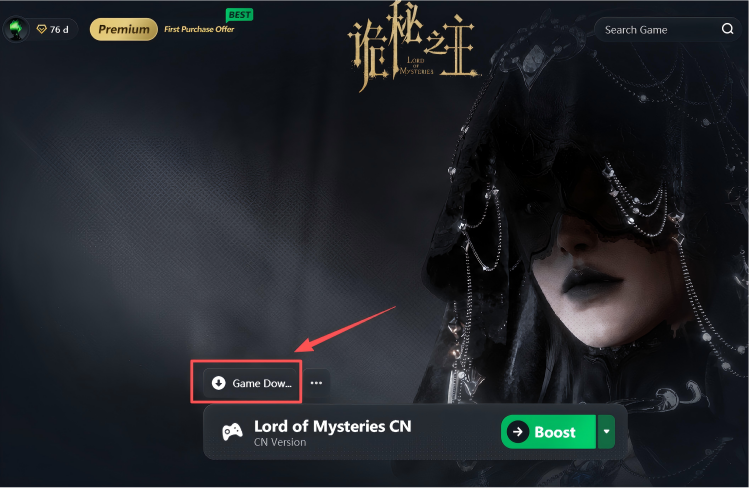
Once your identity verification has been approved, you can use the game installation package we provide to download and install the game directly, without needing to obtain the client through other channels.
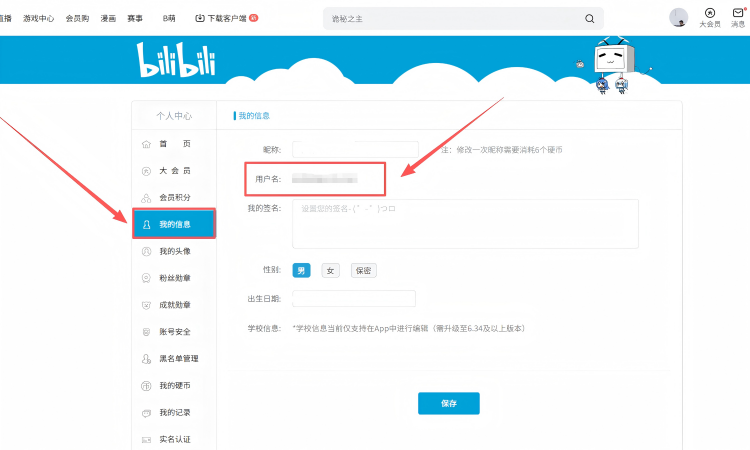
Tip: When filling in the verification information, if your “B站UID” is not filled in automatically,
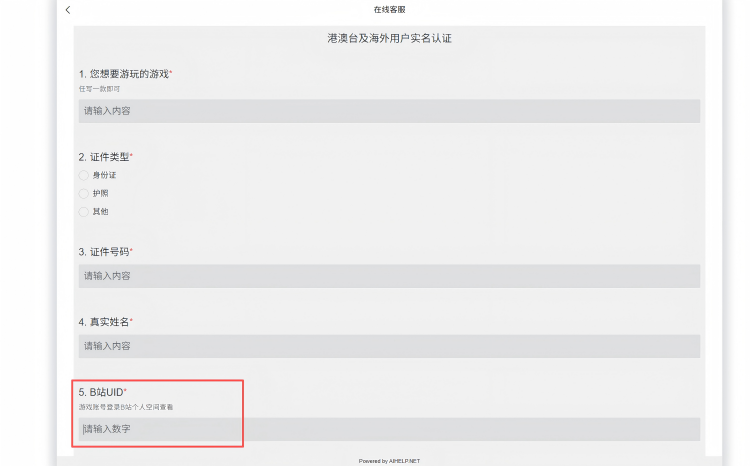
return to the Bilibili website you opened earlier, click your profile picture, and then go to: “个人中心” → “我的信息”.

You can then find and copy your Bilibili UID. “用户名” is your “B站UID”.