
Check In-Game Location in COD
How to Activate Easy Lobby in Lagzapper and Verify Your In-Game Location
After selecting your IP address in Lagzapper's Easy Lobby and entering the game, you can also check whether your location has changed accordingly within the game.
How do I use Easy Lobby?
Just three steps:
1. Boost the game: start acceleration on the Call of Duty game acceleration page;
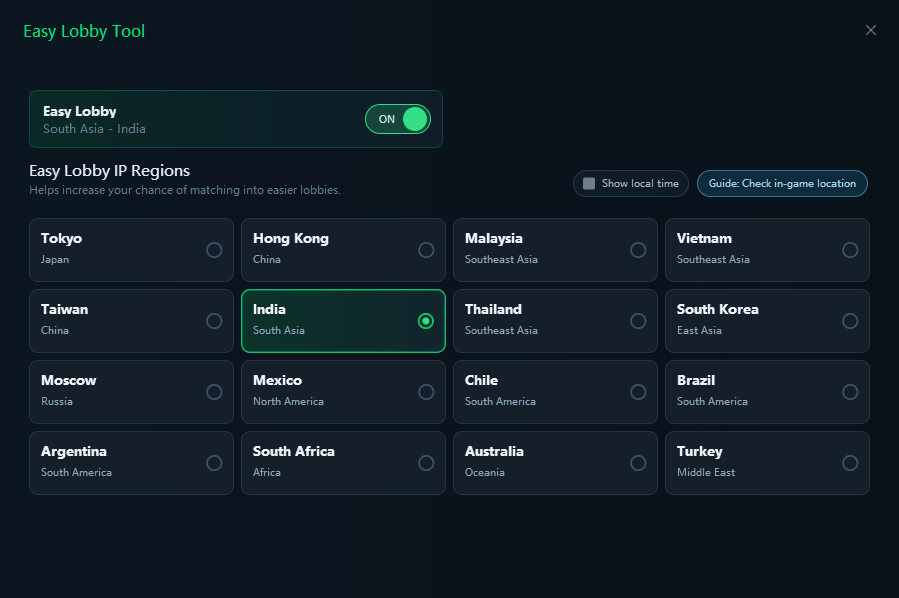
2. Enable Easy Lobby: turn on the Easy Lobby switch, choose an IP region, and save it;
3. Launch the game: enter the game and matchmake as usual.
Step 1:
Select a server in Lagzapper's Easy Lobby.
Step 2:
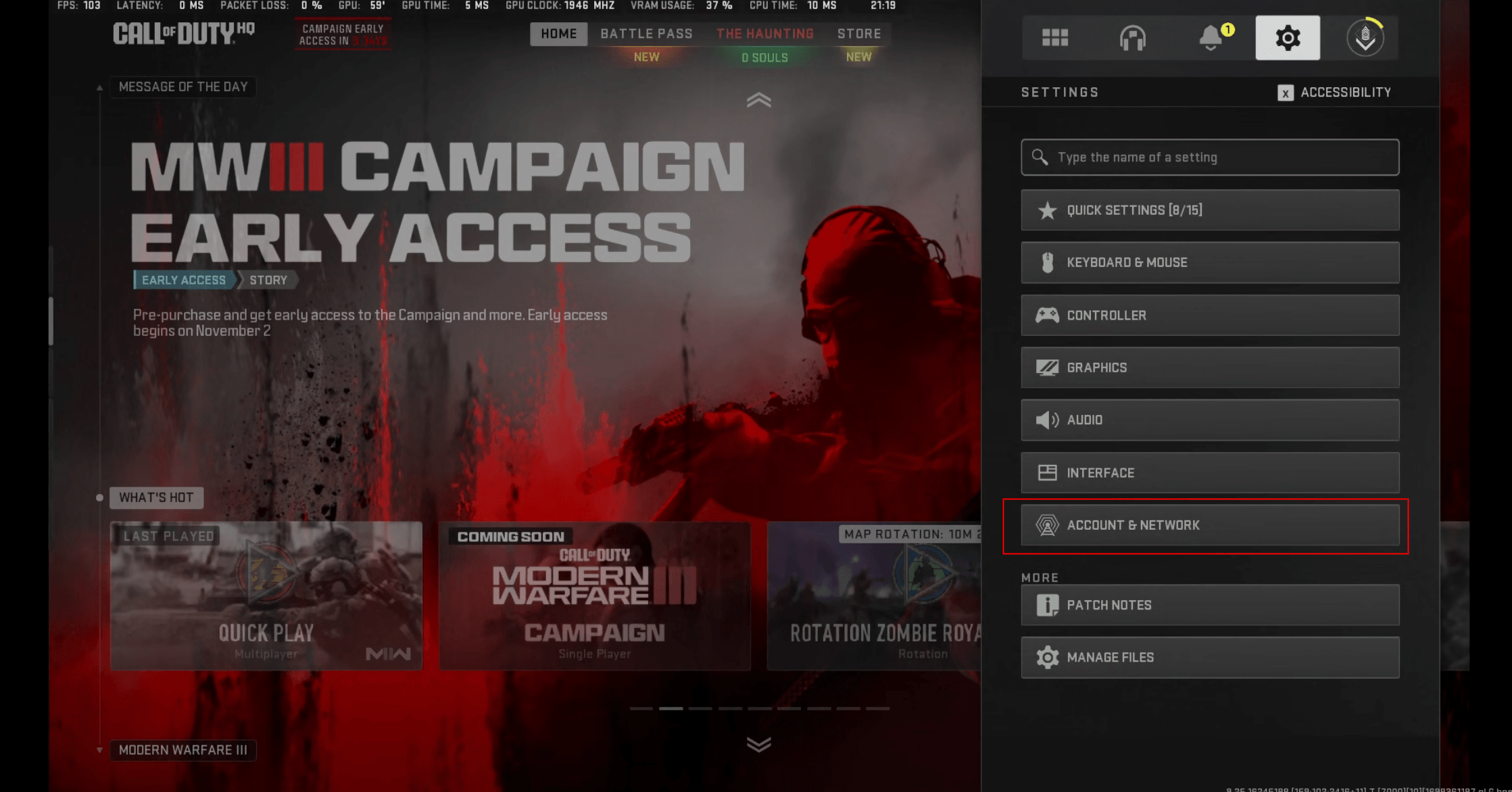
Click the "Settings" icon in the top-right corner of the main interface, then select the "Account and Network" tab.
Step 3:
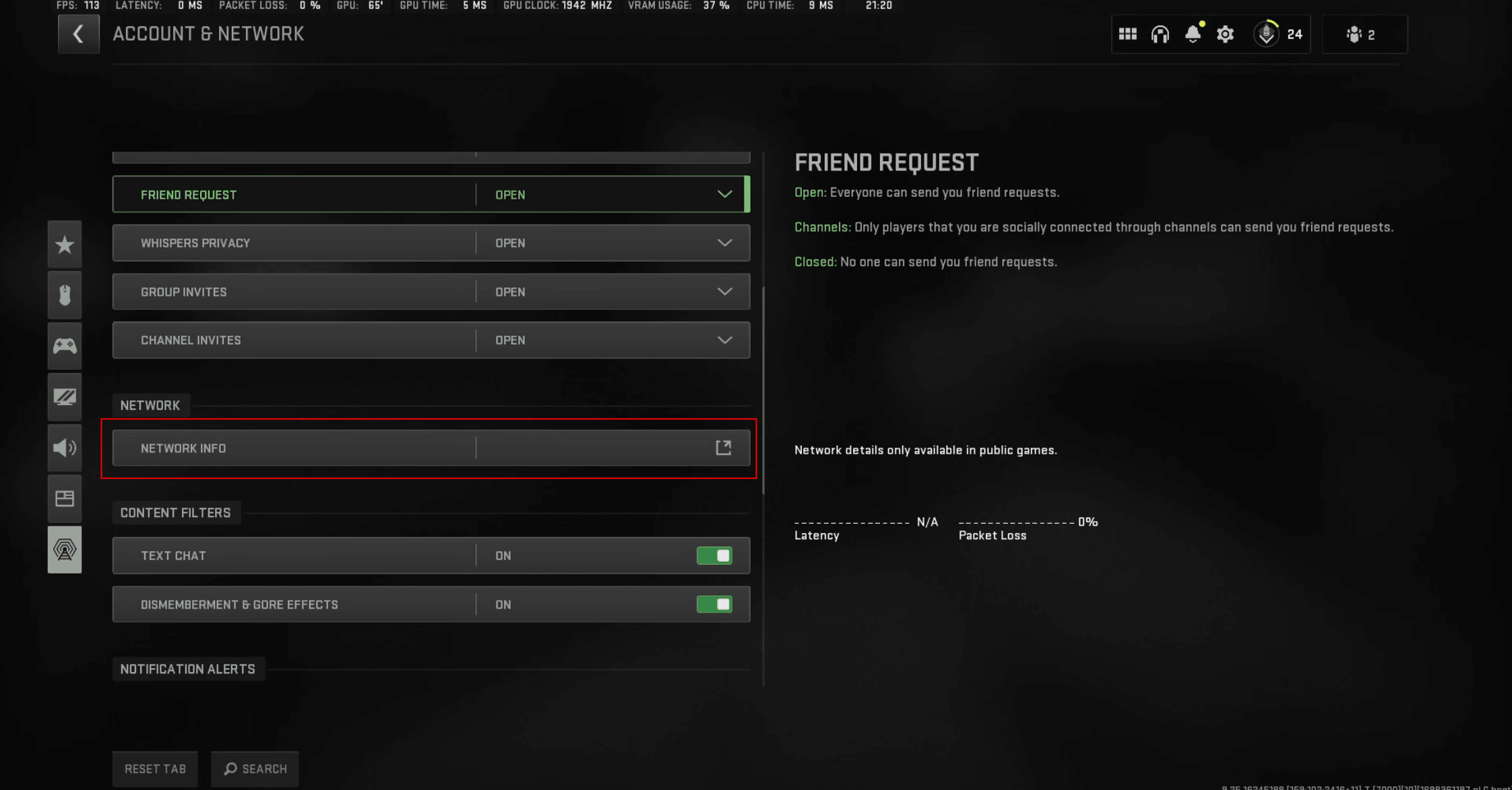
Choose "Network" – "Network Information."
Step 4:
Check your geographical region location in the game.
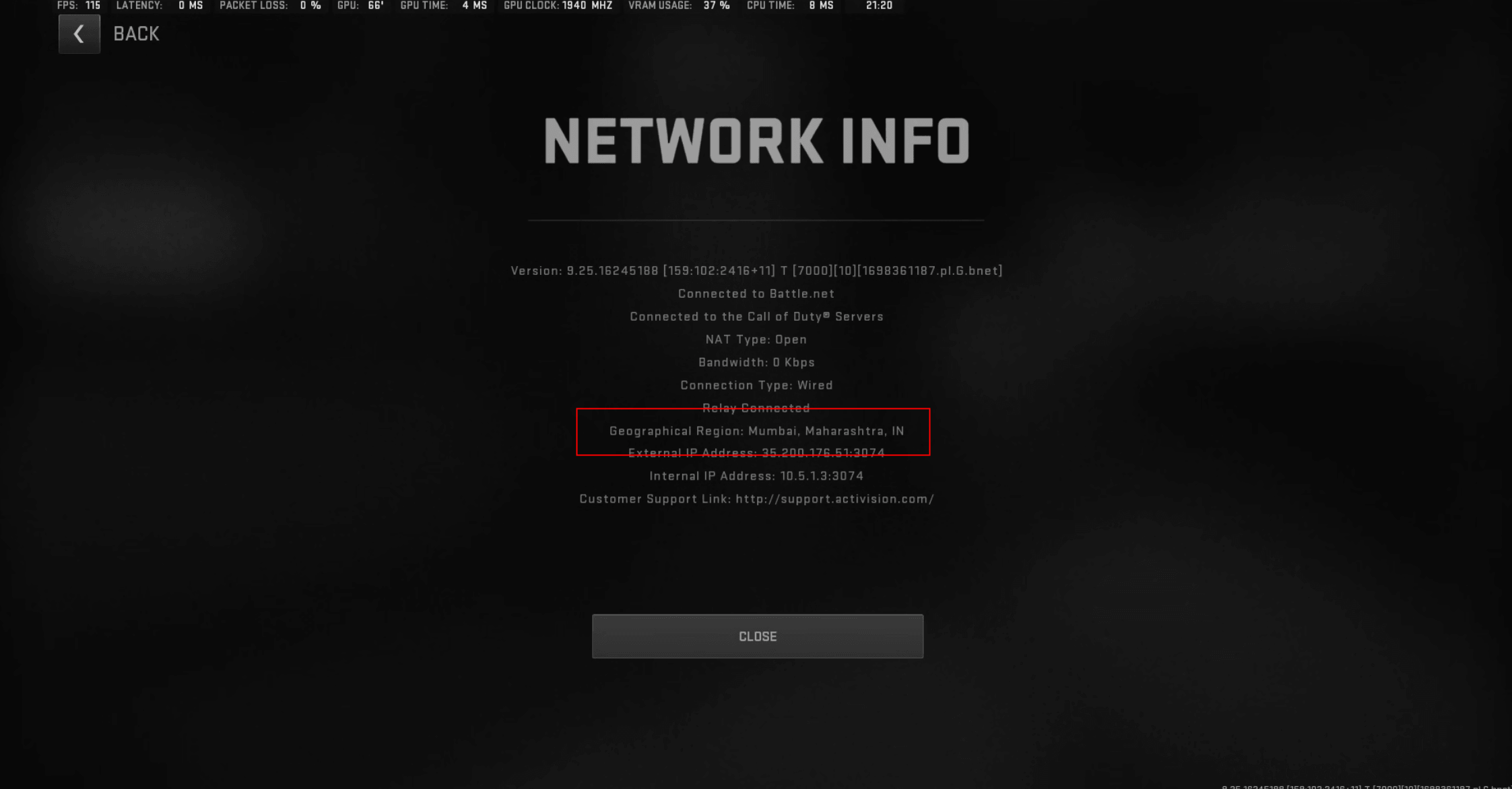
Once your in-game IP address has been successfully changed, it means Easy Lobby is now activated!
Matches obtained through Easy Lobby will be affected by your selected game mode, match time, and your initial Kill/Death ratio.
To ensure you continuously get a low K/D gaming experience, we recommend changing your IP address once you notice your K/D gradually rising.