
Easy Lobby User FAQ
1. About the Feature
Q1: What is Easy Lobby?
Easy Lobby is a matchmaking assistance feature provided by LagZapper. You can freely choose an IP region to increase your chances of being matched into relatively easier (lower-intensity) lobbies.
Please note: it is not an official beginner server, and enabling it does not mean every match will be against beginners or bots — it only increases the probability of lower-intensity lobbies.
Q2: When should I use Easy Lobby?
Easy Lobby is useful whenever match intensity keeps rising and you want to play a few more relaxed games, or when you want to unwind and take the pressure off after intense gaming sessions.
Q3: Which game modes does Easy Lobby support?
| Game | Mode | Supported |
| COD20\21\22\23WZ4\MW4 | Multiplayer | Supported |
| COD20\21\22\23WZ4\MW4 | DMZ | Supported |
| COD20\21\22\23WZ4\MW4 | Campaign | Not supported |
| COD20\21\22\23WZ4\MW4 | Ranked | Not supported |
| Warzone | Battle Royale | Supported |
| Warzone | Resurgence | Supported |
| Warzone | Other rotating modes | Supported |
| Warzone | Ranked | Not supported |
Q4: Will using Easy Lobby affect my account security?
No. Easy Lobby is only a network and matchmaking assistance feature inside LagZapper. It does not modify game data, alter your stats, or bypass any of the game's security mechanisms, and it will not affect the normal use of your account.
Q5: Will enabling Easy Lobby increase my in-game latency?
No. Easy Lobby only changes the IP used during login and matchmaking. Once you are in a match, your traffic still goes through your local network, so the feature does not affect in-game latency.
If you experience higher latency while using it, this is usually caused by the game's own matchmaking system — matchmaking speed, low latency, and easier lobbies are difficult to have all at once.
2. How to Use
Q6: Where can I find Easy Lobby?
Easy Lobby appears as a standalone tool on the Call of Duty game acceleration page — open that page to find it.
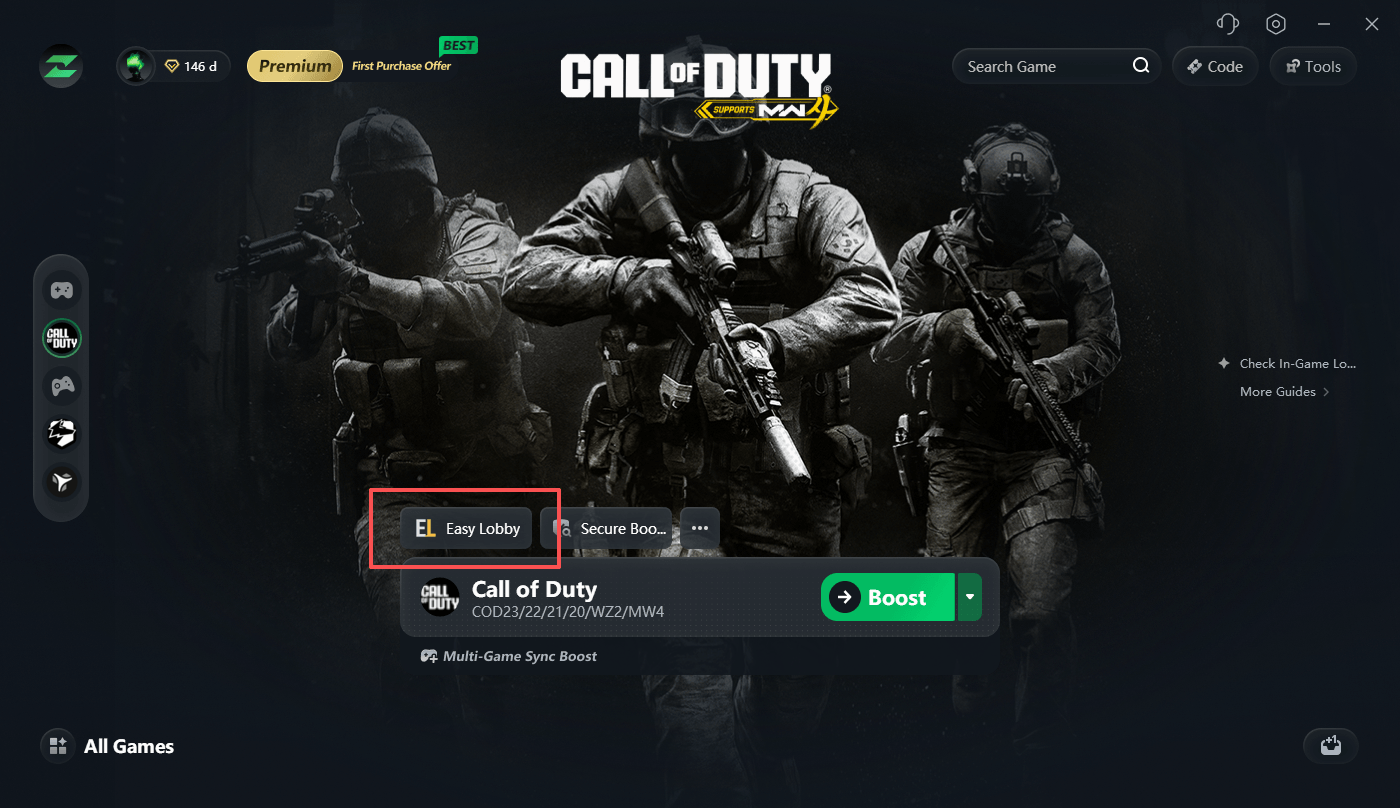
Q7: How do I use Easy Lobby?
Just three steps:
1. Boost the game: start acceleration on the Call of Duty game acceleration page;
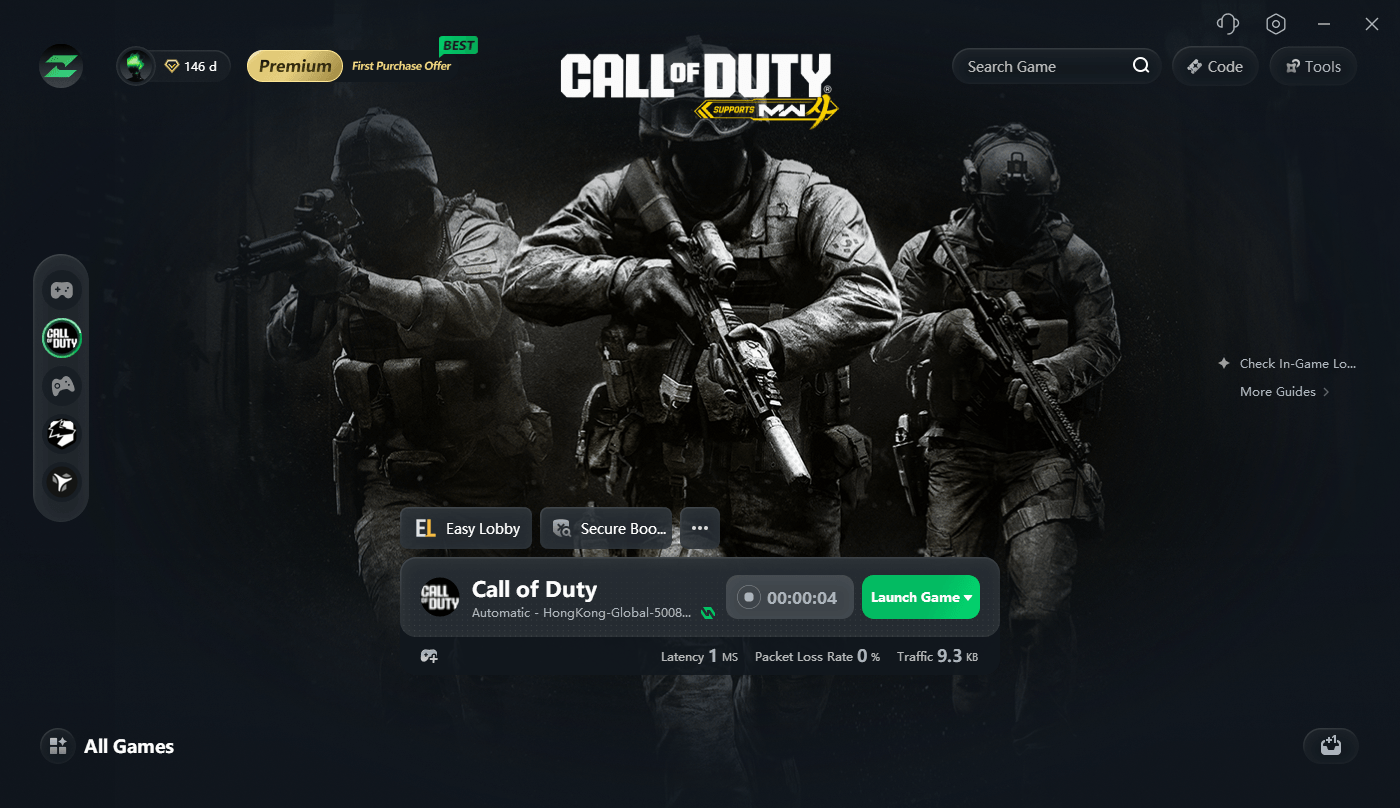
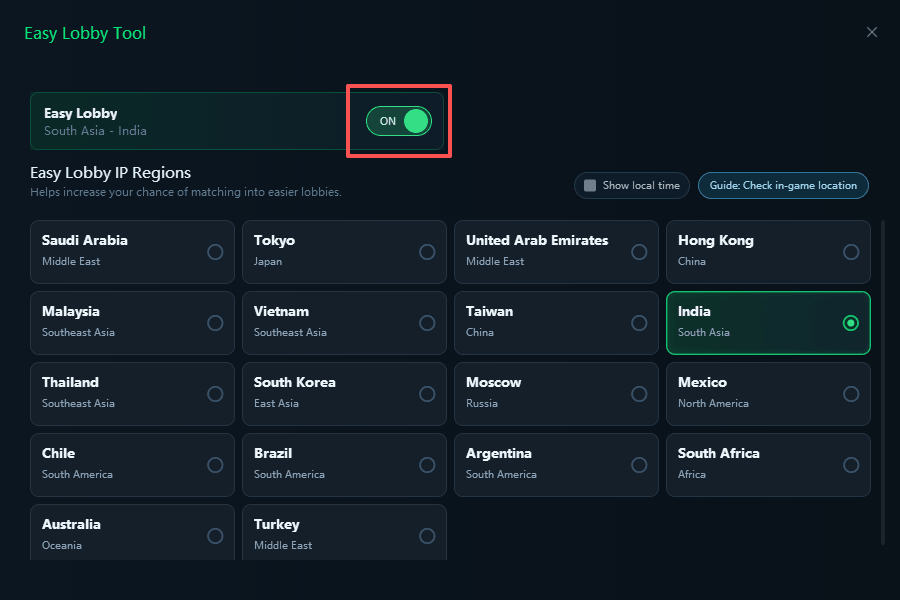
2. Enable Easy Lobby: turn on the Easy Lobby switch, choose an IP region, and save it;
3. Launch the game: enter the game and matchmake as usual.
Q8: How do I choose the best Easy Lobby region?
Two basic rules:
1. Choose a server far from your real geographic location;
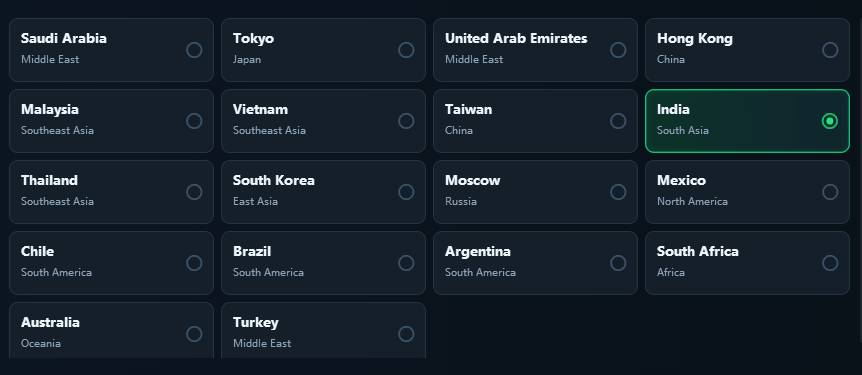
2. Choose a server during its off-peak hours (e.g., early morning or late night in that region).
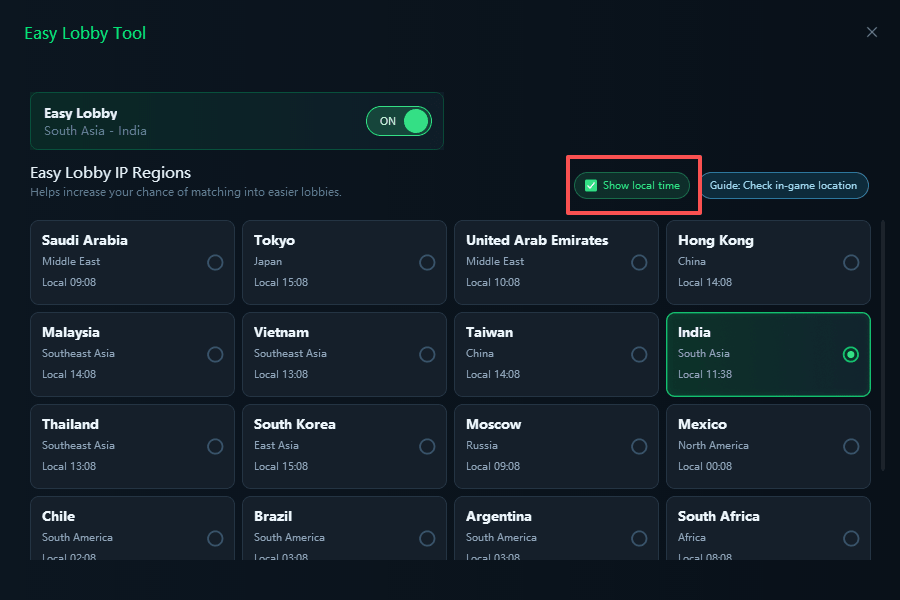
If you keep winning in the same region, match intensity will gradually rise again — we recommend switching to another region at that point.
Initial recommendations by region:
| Your region | Recommended Easy Lobby regions |
| North America | Mexico first, then Brazil and Chile |
| South America | Argentina, Chile, Brazil |
| Europe | Spain, Portugal, Bulgaria, Ukraine |
| Middle East | UAE, Israel |
| Asia | Japan, India, Nepal, Kazakhstan |
| Oceania | Australia |
| Africa | South Africa, Nigeria |
These are only starting suggestions. Please base your final choice on actual ping, matchmaking wait time, and in-match experience.
Q9: How do I confirm Easy Lobby is working?
Check with the following steps:
(Insert the link to the in-game region check guide here)
3. Frequently Asked Questions
Q10: Does enabling Easy Lobby guarantee low-K/D lobbies?
It cannot guarantee that every match will be easier. Matchmaking results are also affected by many factors, including the game mode and map, the current number of online players, the time of day, your recent performance, the region you selected, and the game version and server status.
We recommend not judging the effect from a single match — play several matches in a row in the same region. If the experience is still not ideal, try switching regions or playing at a different time.
Q11: I selected a region but see no obvious change in game. What should I do?
Try the following in order: first, confirm the Easy Lobby switch is on; second, confirm the region selection has been saved; third, fully quit the game and restart it; fourth, check in game whether the region has changed; fifth, check your current game version and network status; finally, play several matches in a row before judging the result.
If there is still no change, please record the selected region, game mode, and time period, and contact LagZapper support.
Q12: Why has my matchmaking wait time increased?
After selecting certain regions, the number of players available for matchmaking may decrease, so the wait time increases. You can try switching to a region with more players, choosing a closer region, or avoiding hours with fewer players online; if you do not want to wait, you can also turn off Easy Lobby and return to normal matchmaking.
Q13: Why does the same region feel different today versus yesterday?
The matchmaking player pool changes over time. The same region may have different player counts, skill levels, and mode distributions at different times of day, so match intensity and wait times can vary — this is normal.
Q14: What is the difference between Easy Lobby, Geo Fence, and regular acceleration?
| Feature | What it does | Where to find it |
| Easy Lobby | Changes the IP region during login, increasing the chance of lower-intensity lobbies; matches are still made locally and latency is unaffected | Standalone tool on the COD acceleration page |
| Geo Fence | Locks your actual matchmaking region, preventing higher latency caused by an expanded matchmaking range | Game region selection page |
| Regular acceleration | Optimizes the network route between you and the game server, lowering latency and stabilizing the connection | Standard acceleration |
All three can be used together. Note: using Easy Lobby together with Geo Fence may cause long matchmaking times.
Using Easy Lobby together with Geo Fence may cause long matchmaking times: Easy Lobby changes your login IP region, while Geo Fence locks actual matchmaking to a selected region. Combined, the available player pool shrinks significantly, so the system needs longer to fill a match, and in extreme cases it may fail to find one. If this happens, we recommend disabling one of the two features or switching to a region with more players.