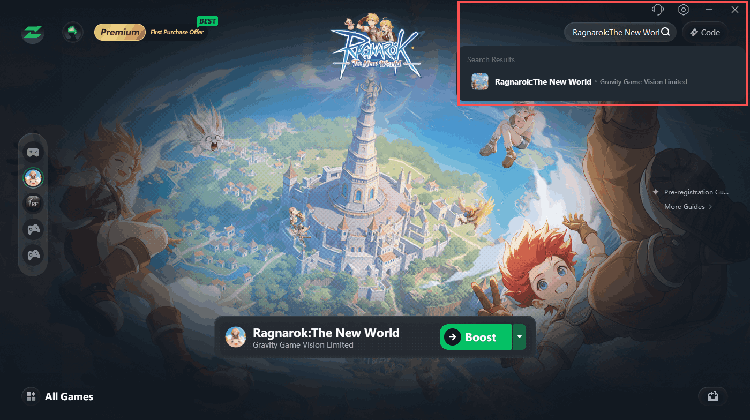
Pre-registration Guide & Channel Rewards
Phone/Email Pre-registration
1. Click the pre-registration link, and you will be automatically redirected to fill in your phone number or email.
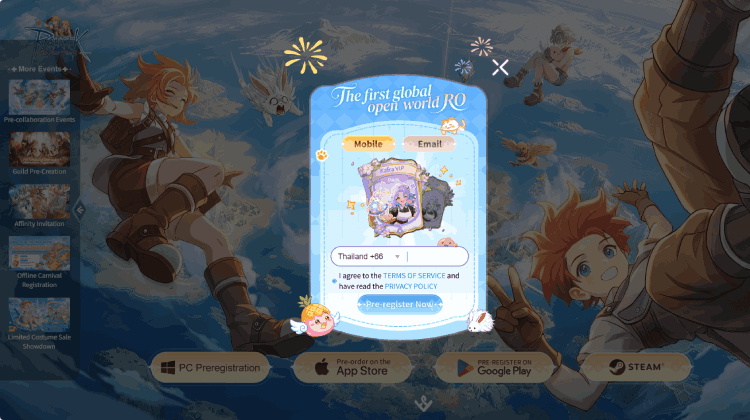
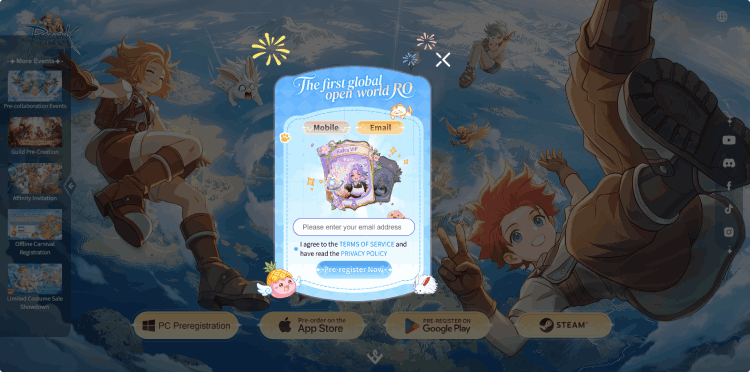
2. After completing the form, return to the main page – you will see "Preregistered" appear on the upper right corner of the PC Preregistration button.
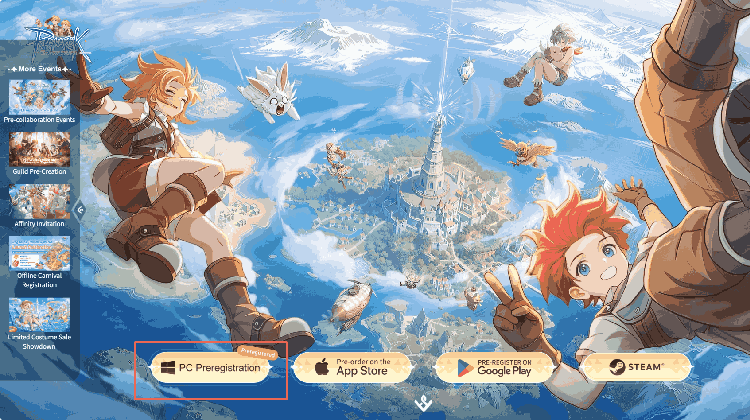
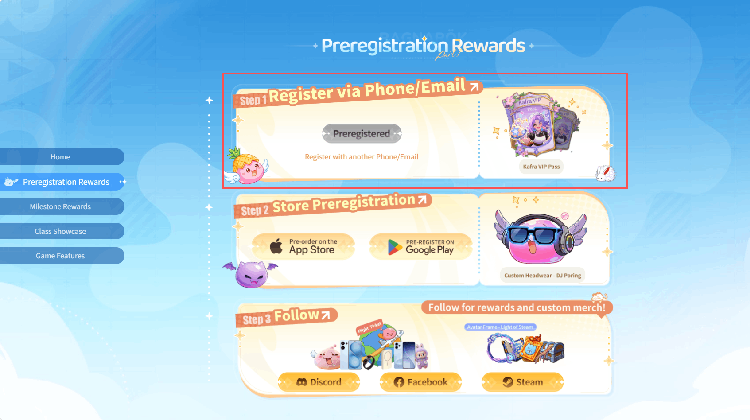
3. Scroll down to view the Pre-registration Rewards for phone/email sign‑up.
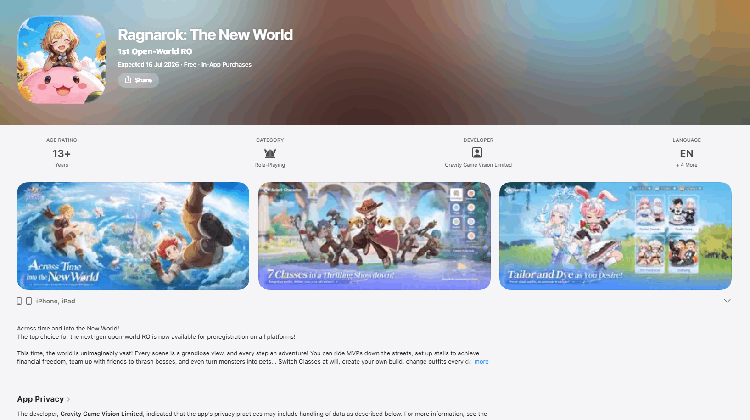
App Store Pre-registration
Pre-registration for this game on the App Store must be completed through the App Store app on an iPhone or iPad. When you open the product page in a computer browser, you may only be able to view game information and may not see the pre-register button. If you still cannot pre-register within the App Store app, please confirm that the region of your Apple account supports the game.
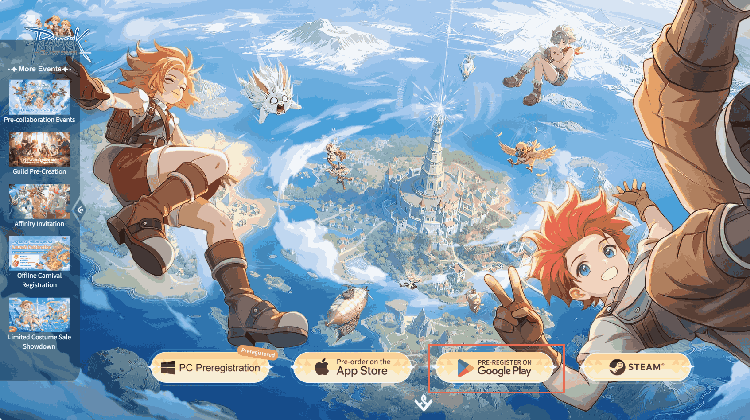
Google Play
1. Click on “PRE-REGISTER on Google Play”.
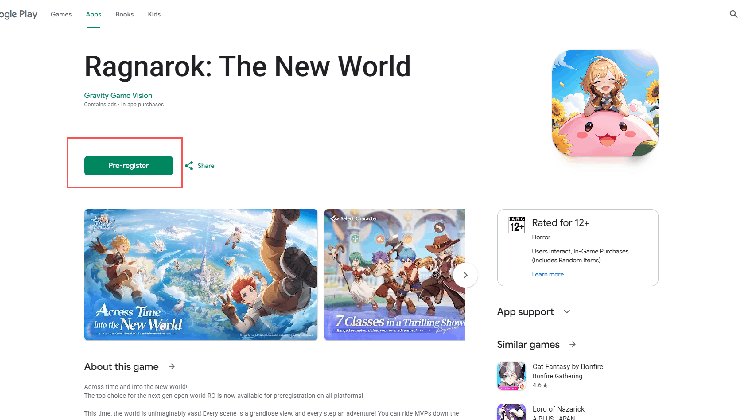
2. Click on “Pre-register”.
3. After clicking, a pop-up confirming successful pre-registration will appear – click “Got it”.
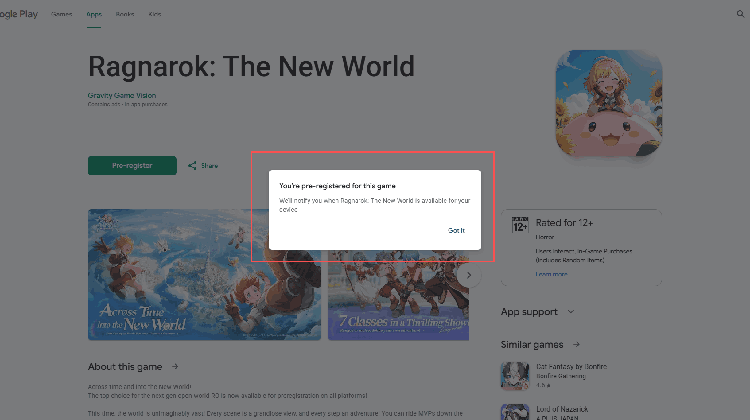
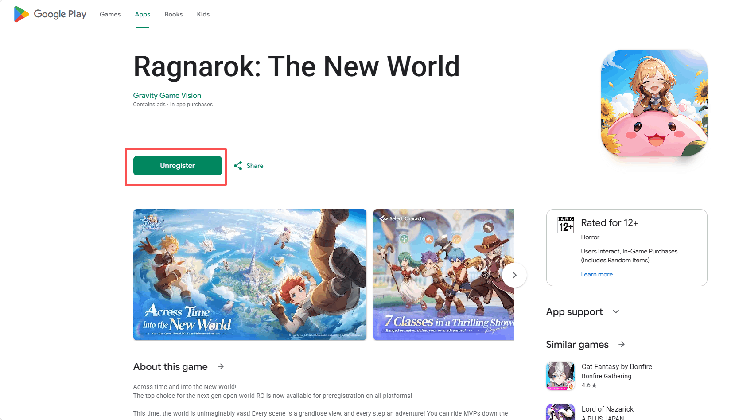
4. When you see “Unregister”, your pre-registration is complete.
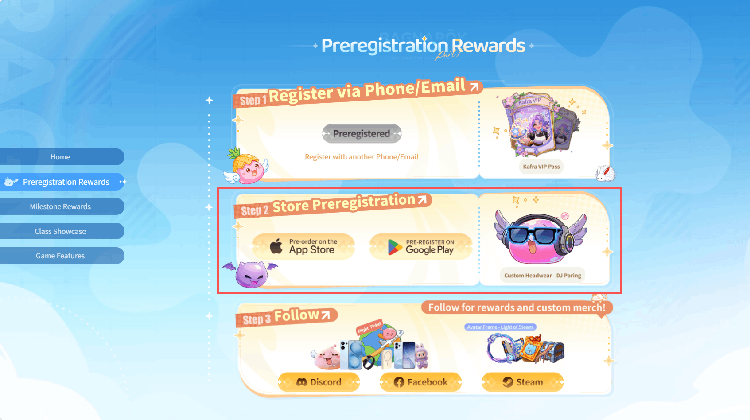
5. Scroll down on the main page to view the pre-registration rewards for both App Store and Google Play.
Steam
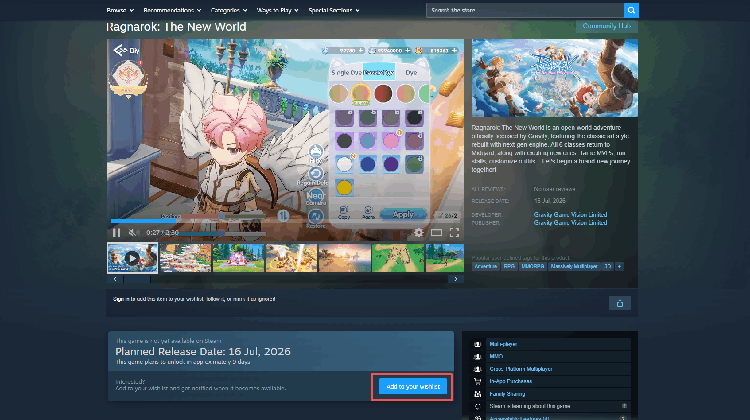
1. Click on Steam.
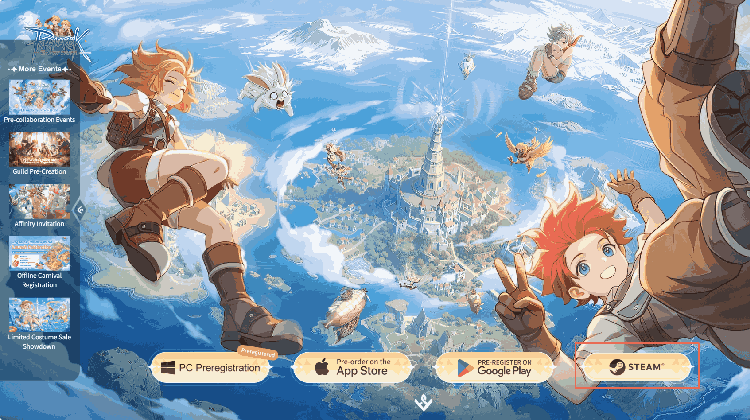
2. Click “add to your wishlist”.
Official Community Follow Process
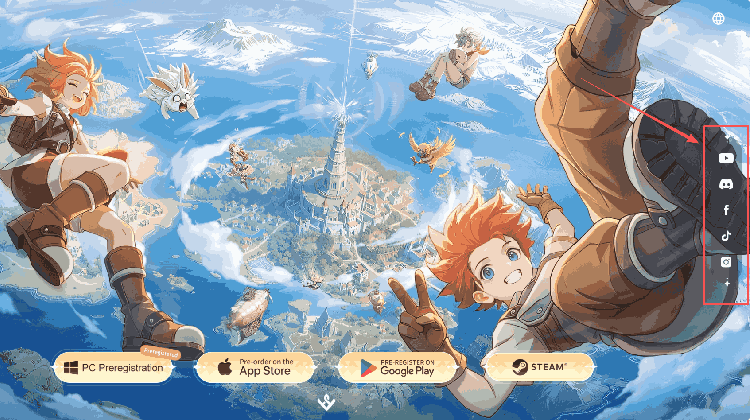
1. Click on the social media icons on the right side of the main page to follow the game's official social media accounts.
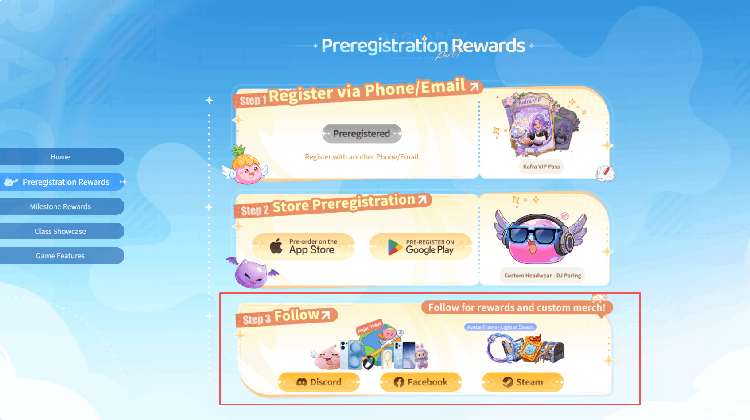
2. Scroll down on the homepage – on the Preregistration Rewards page, you will see the rewards for following the official Discord, Facebook, and Steam accounts.
After pre-registration, don't forget to use LagZapper to fix lag, ping spikes, and packet loss.