Save Editor Tool Guide
This guide provides a brief overview of the main features of Save Editor and how to use them. With this tool, you can modify certain data in both player saves and world saves according to your needs.
Tip:
If your Windows 10/11 PC does not have the windowsdesktop-runtime-8 file, the tool may fail to run properly. If this happens, don’t worry. Simply download and install .NET 8 Desktop Runtime x64.
Download link:
https://dotnet.microsoft.com/en-us/download/dotnet/8.0
1. Download Save Editor
Click to download and install the Save Editor tool.
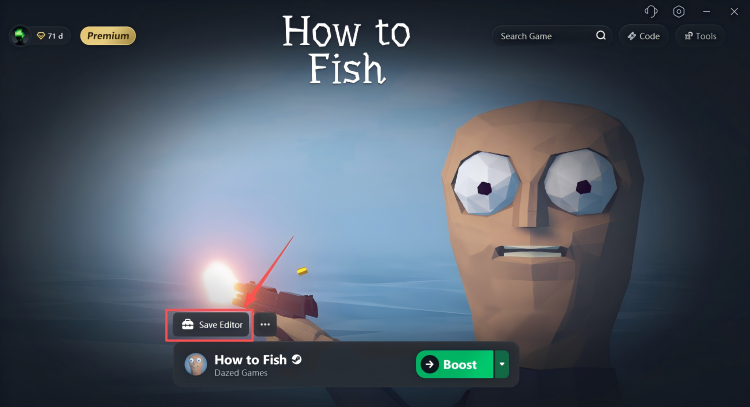
2. Open Save Editor
Once the download is complete, launch Save Editor.
Note: Before modifying any game data, make sure the game is completely closed. We also recommend exiting Steam to avoid save file conflicts or modification failures.
3. Main Features
Save Editor mainly provides the following two functions:
- Edit player saves
- Edit world saves
4. Edit Player Saves
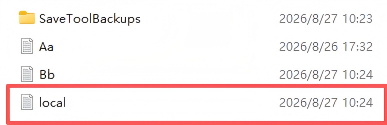
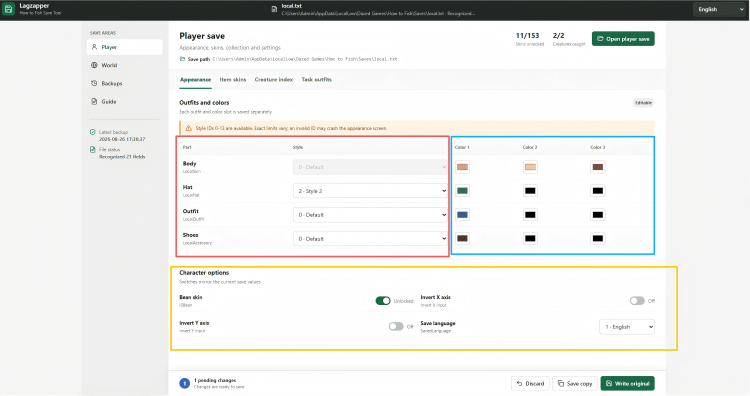
Open the player save and select the local.text file.
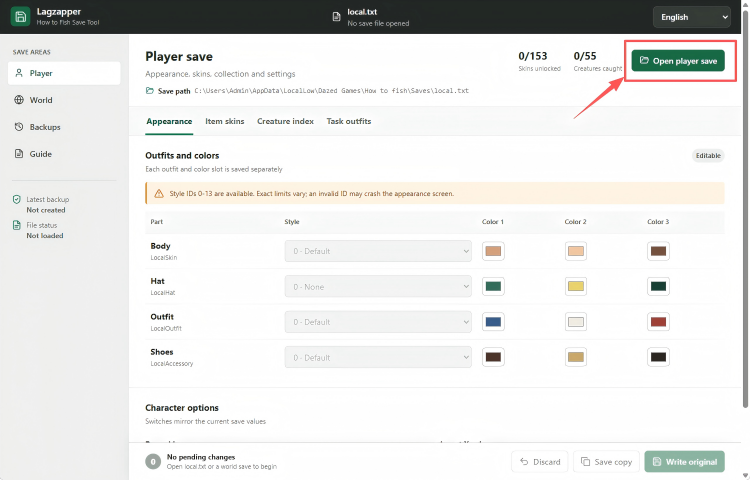
You can use this feature to freely customize your character’s appearance.
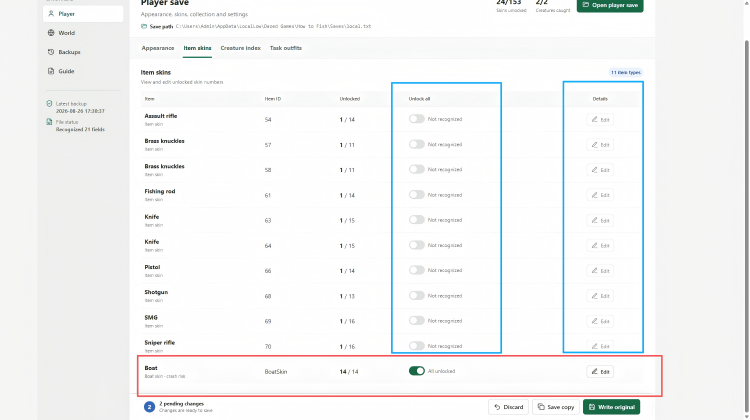
Please note that item skins can only be modified after you have already obtained them in the game.
5. Edit World Saves
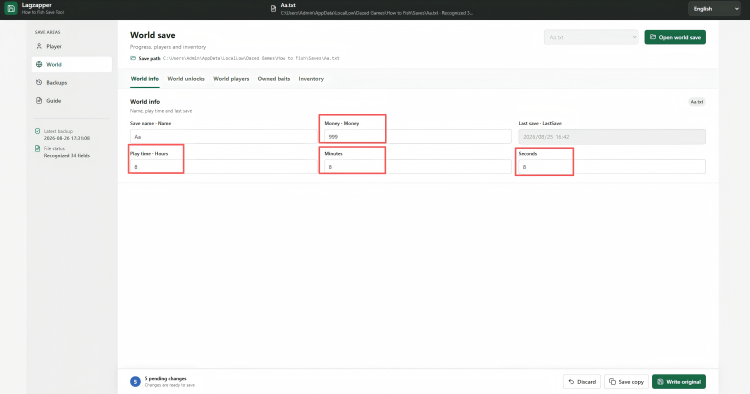
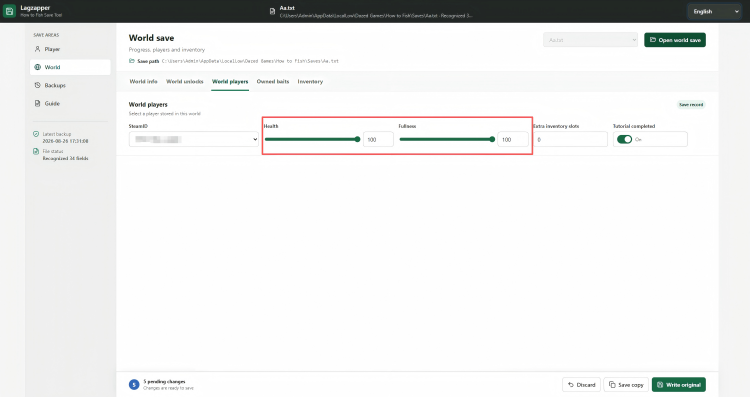
With the world save editing feature, you can modify data such as save-file currency, in-game time, player health, hunger levels, and other world-related values.
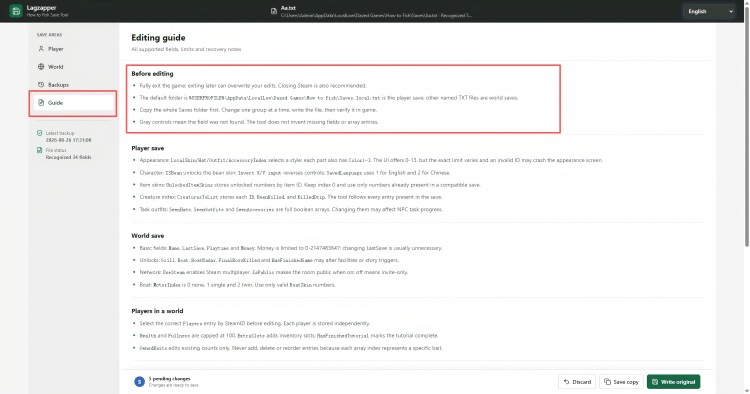
This guide only provides a brief introduction to the main features of Save Editor. If you have any other questions, click the Guide tab inside the tool for more detailed instructions.