
Steam CDK Redemption Guide
Before You Redeem: Check Your CDK Version
Phantom Blade Zero Steam CDKs come in 3 regional versions. Before purchasing, please make sure the version on the purchase page matches the region of your Steam account:
| Version | Eligible Activation Regions |
| Global | Can be activated in all regions worldwide |
| E&S Asia | Japan, South Korea, Indonesia, Thailand, India, the Philippines, Malaysia, Vietnam, Singapore |
| CIS+TR+LATAM | Russia, Ukraine, Kazakhstan, Turkey, Antigua and Barbuda, Argentina, Barbados, Bermuda, Bolivia, Brazil, the Bahamas, Belize, Chile, Colombia, Costa Rica, Cuba, Dominica, Dominican Republic, Ecuador, Falkland Islands (Malvinas), Grenada, French Guiana, South Georgia and the South Sandwich Islands, Guatemala, Guyana, Honduras, Haiti, Jamaica, Saint Kitts and Nevis, Saint Lucia, Mexico, Nicaragua, Panama, Peru, Puerto Rico, Paraguay, Suriname, El Salvador, Trinidad and Tobago, Uruguay, Saint Vincent and the Grenadines, Venezuela |
Important: If your Steam account's region is not covered by the version you purchased, redemption will fail and CDKs are generally non-refundable. Please double-check the version stated on the purchase page before buying.
Redemption Steps
Step 1: Open the Steam client and log in to your account. Click the "Add a Game" button in the bottom-left corner of the window. 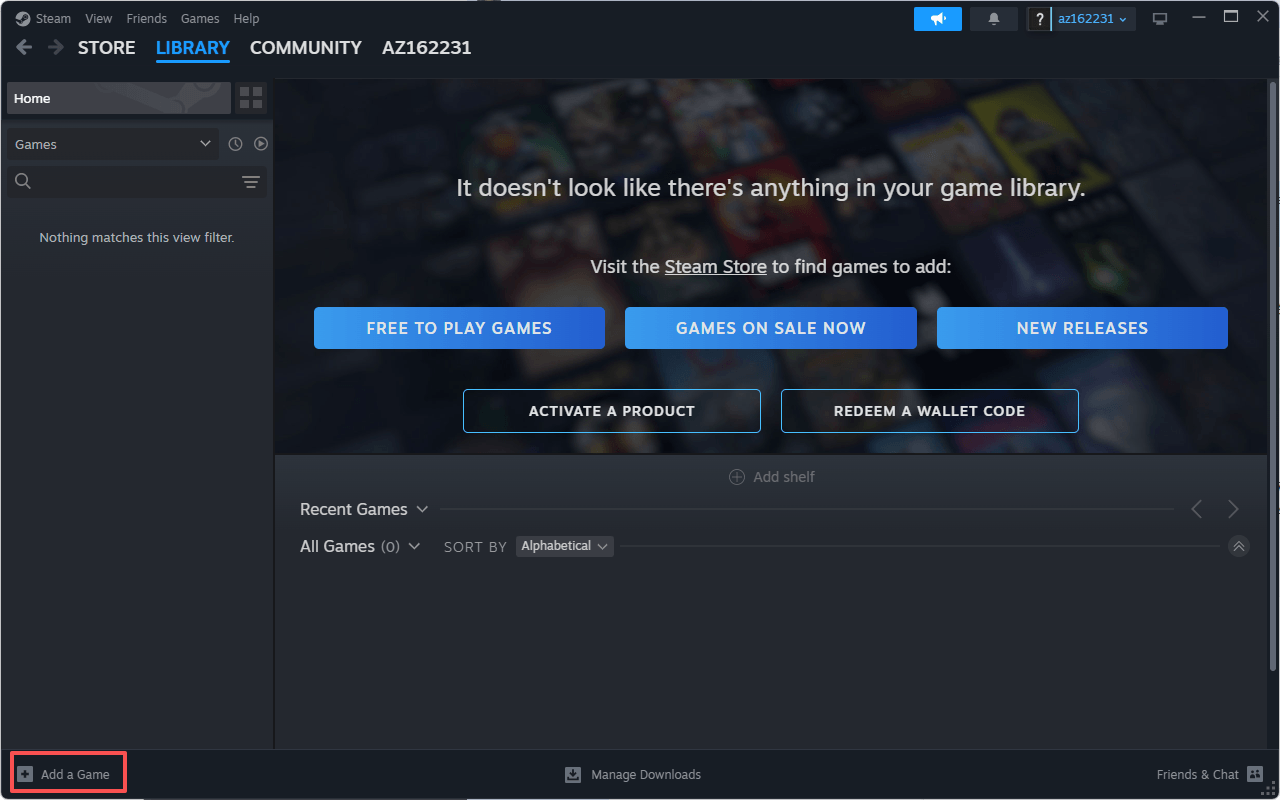
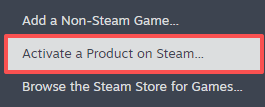
Step 2: In the pop-up menu, select "Activate a Product on Steam…". 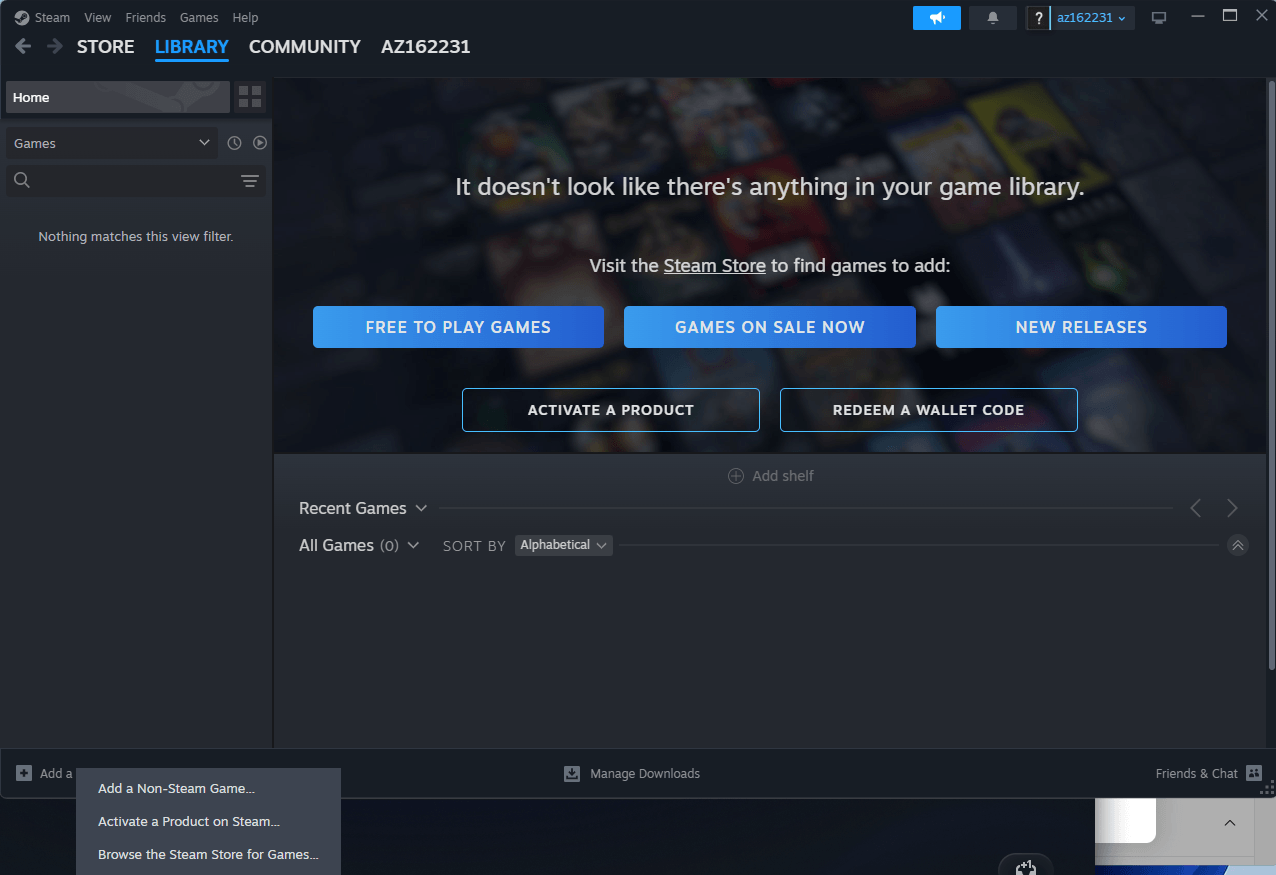
Step 3: In the "Enter your product code" window, paste your CDK into the input field. The code format looks like: XXXXX-XXXXX-XXXXX. 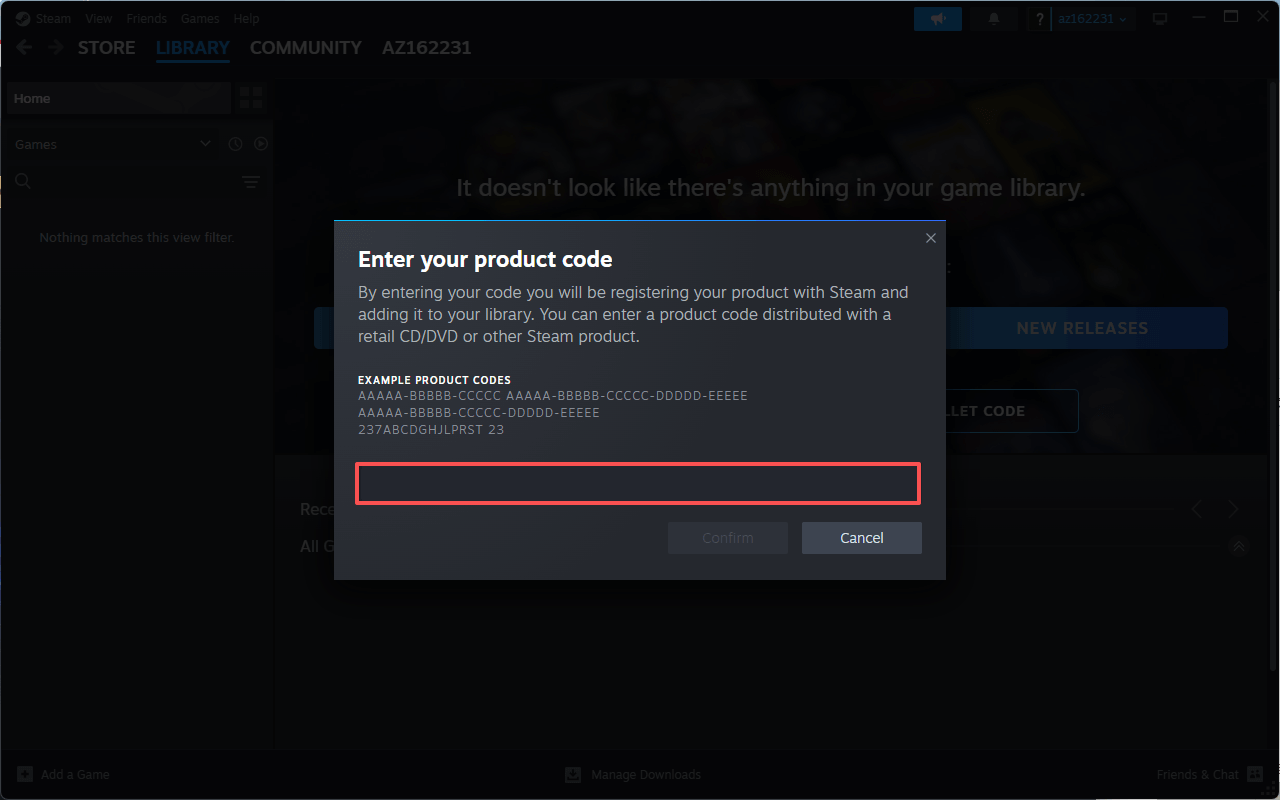
Step 4: After confirming the code is entered correctly, click "Confirm". 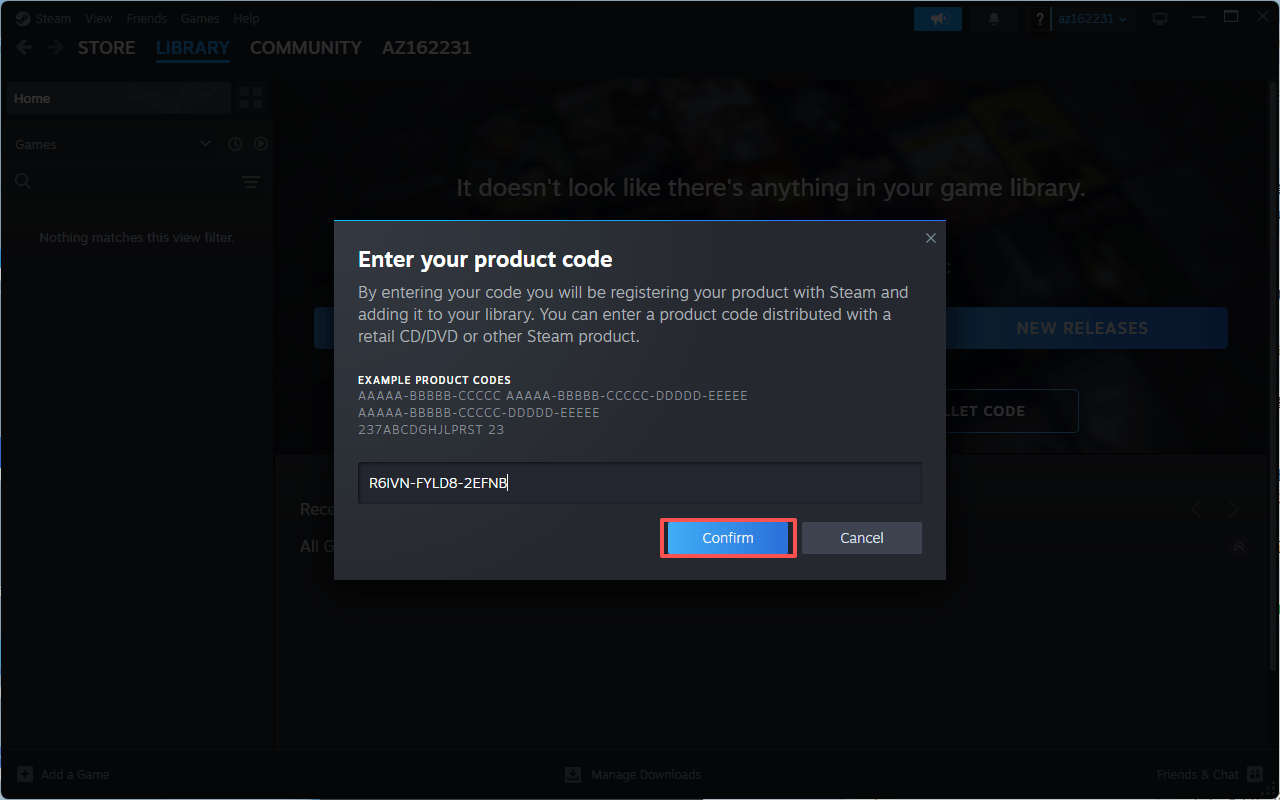
Step 5: When you see the "Activation Successful" message, redemption is complete. Click "OK" to close the window. The game is now permanently linked to your Steam account. 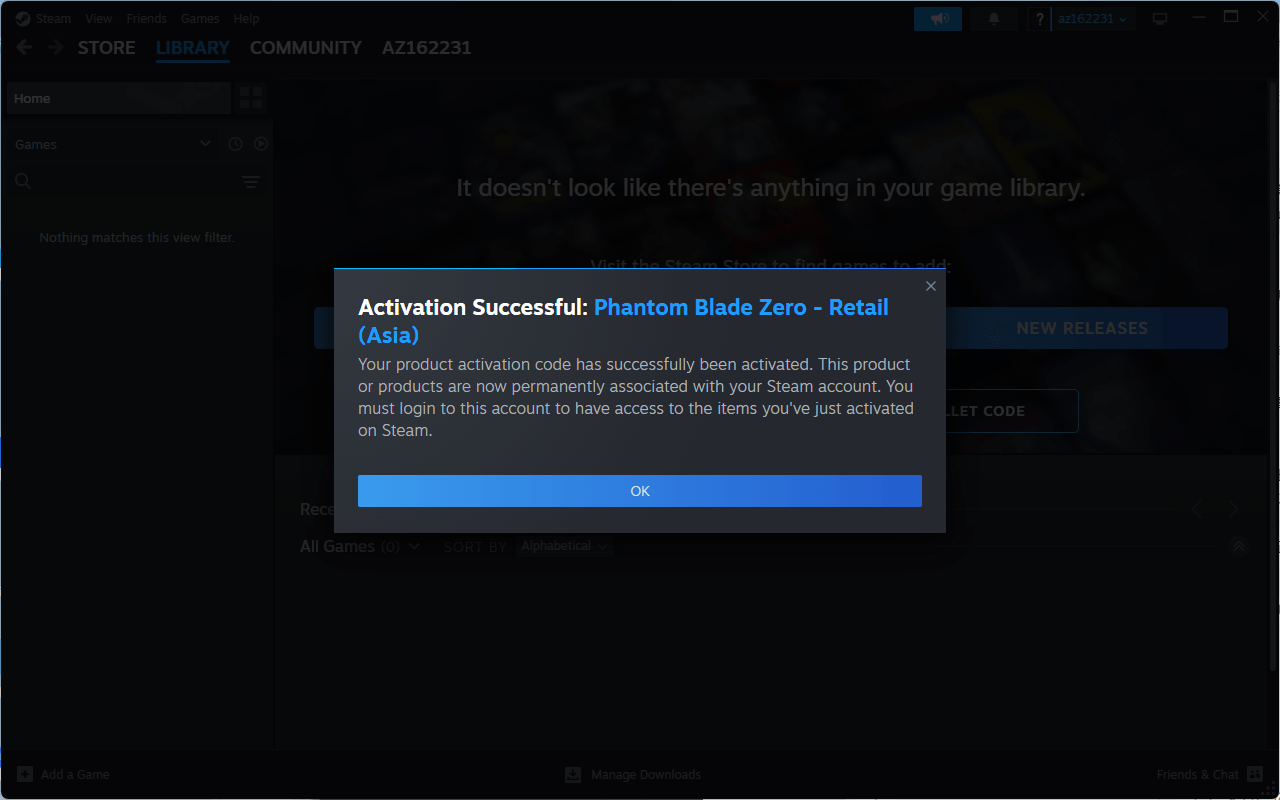
Step 6: Open your Library — you will now see Phantom Blade Zero in your game list, ready to download once the game officially launches (October 29, 2026). 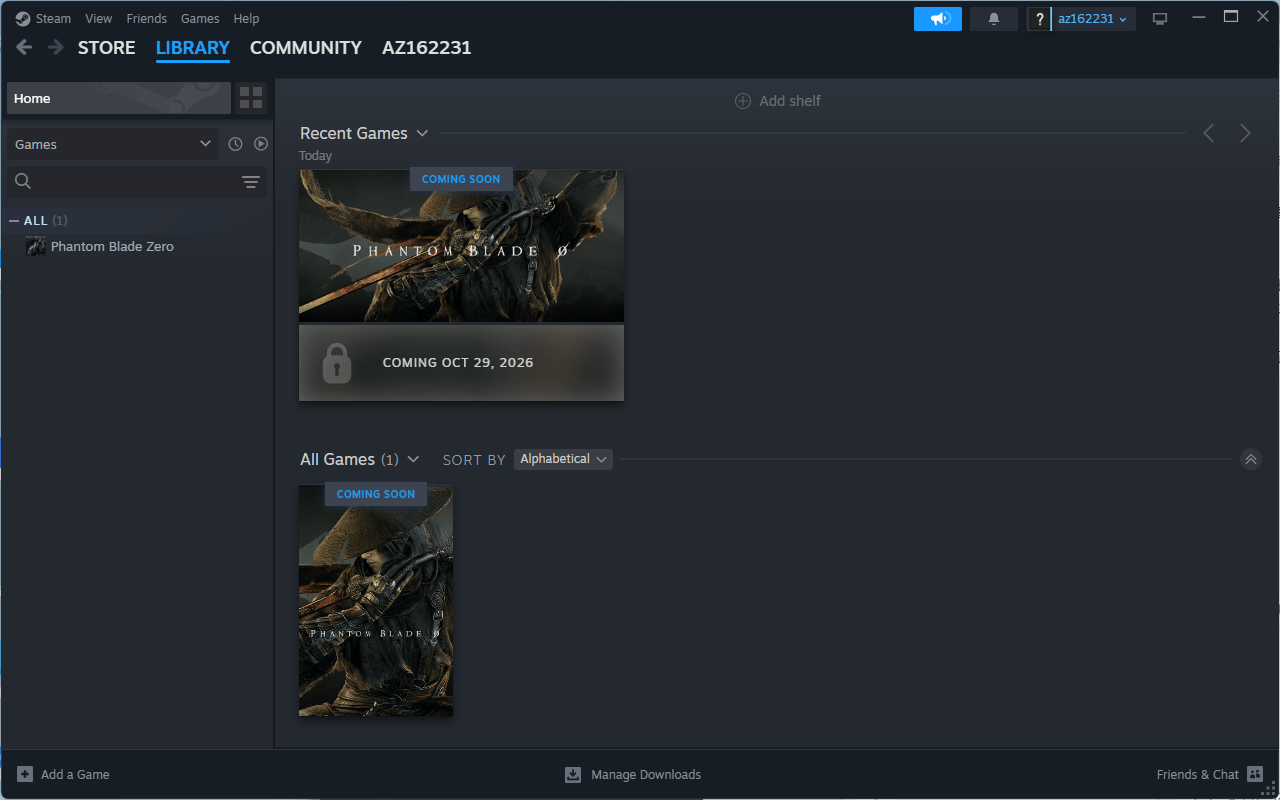
FAQ
When will Phantom Blade Zero be released?
The game officially launches on October 29, 2026. Once activated, the game stays permanently in your Steam Library and will be available to download on launch day.
"Invalid product code" error?
Make sure you've copied the entire CDK without any leading or trailing spaces, and that the code hasn't been used before.
"Not available in your region / cannot be activated in this country" error?
Your Steam account's region is not covered by the version you purchased. Please check the version stated on the purchase page (Global / E&S Asia / CIS+TR+LATAM).
Redeemed successfully but the game doesn't appear in my Library?
Try restarting the Steam client, or search for "Phantom Blade Zero" in your Library.