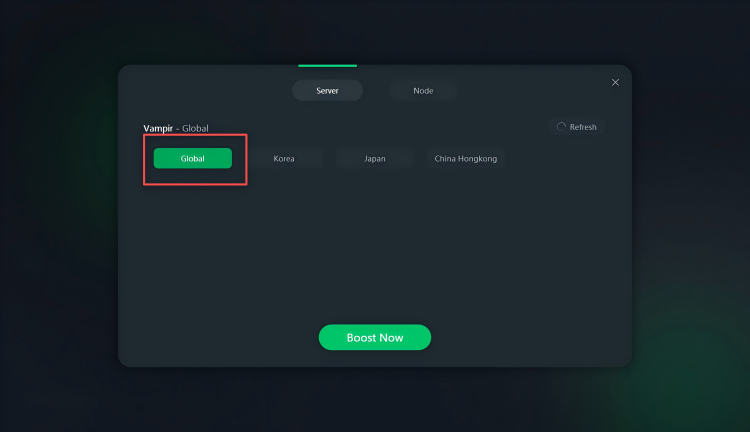
PC Pre-Registration Guide
VAMPIR Global is now open for PC pre-registration. This guide will show you how to complete the pre-registration through the Netmarble Launcher and how to access the Asia server with LagZapper.
Step 1: Download the Netmarble Launcher
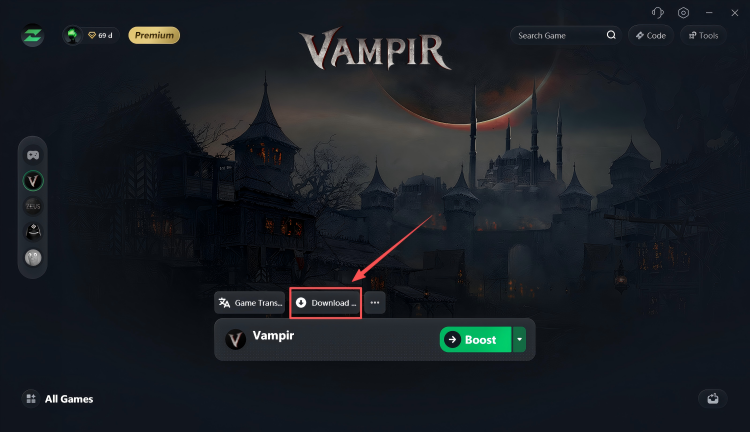
Open LagZapper and find Download Netmarble in the toolbar at the bottom. Click it to download and install the Netmarble Launcher.
Step 2: Open the VAMPIR Pre-Registration Page
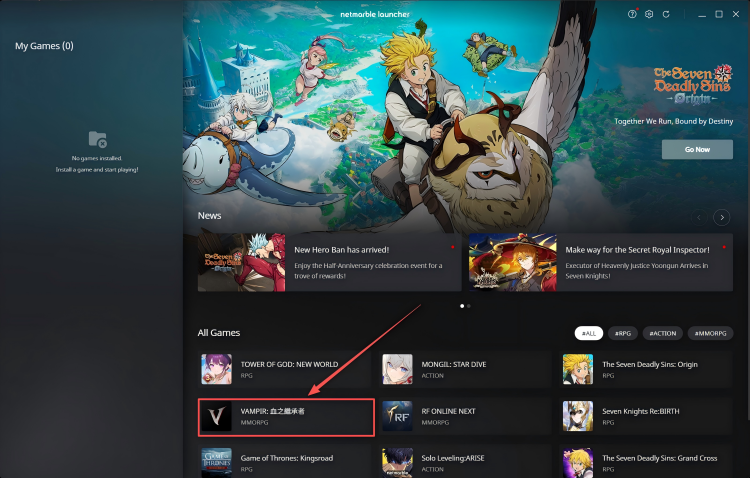
Launch the Netmarble Launcher, find and click VAMPIR, then enter the game’s pre-registration page.
Step 3: Click PC Pre-registration
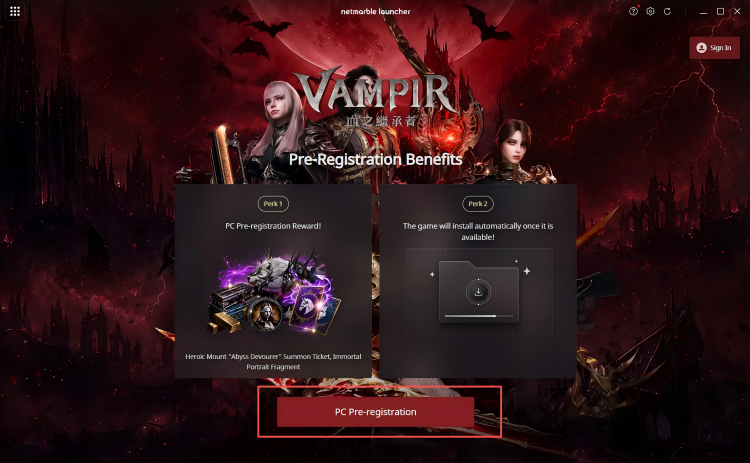
On the pre-registration page, click PC Pre-registration.
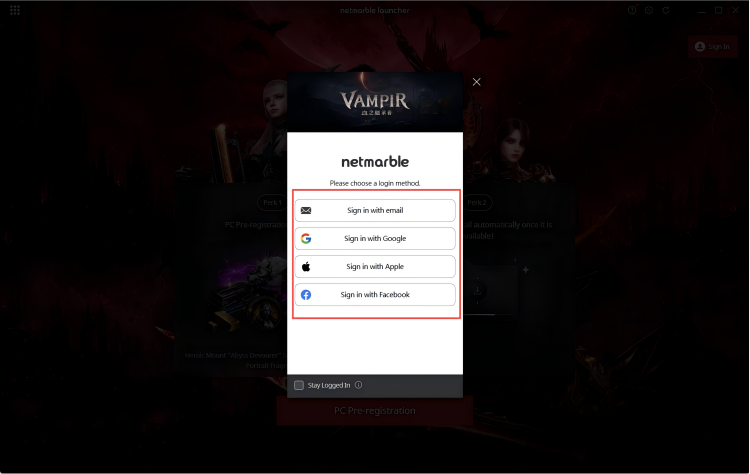
Step 4: Log In to Your Account
Follow the instructions on the page, choose your preferred login method, and sign in to your account.
Step 5: Complete Pre-Registration
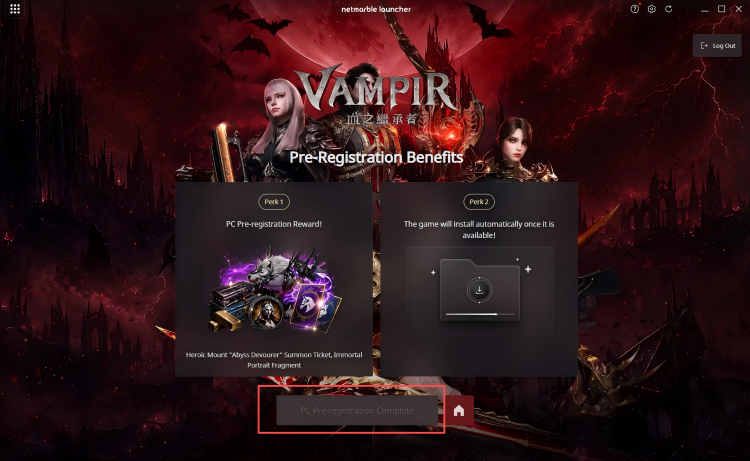
After logging in successfully, click PC Pre-registration again to complete the VAMPIR PC pre-registration.
How to Play on the Asia Server:
If you want to play on the Asia server now, select a Global node in LagZapper to enable acceleration before downloading the game.