Launch Issue Guide
If you encounter issues when launching ZEUS: God of Arrogance, such as being unable to enter the game normally, please refer to this guide for troubleshooting.
Method 1: Re-detect ZEUS: God of Arrogance via LagZapper
If the ZEUS: God of Arrogance game option does not appear in the platform launcher when you launch it for the second time after entering the game for the first time, please try launching the game through the LagZapper client.
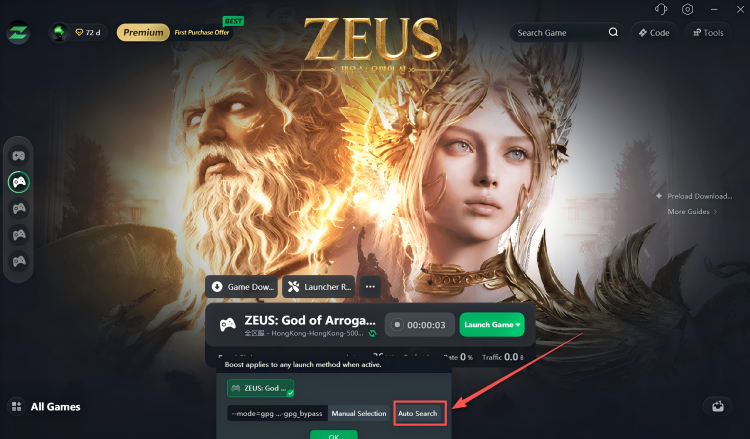
Click the arrow to the right of Launch Game, then select Auto Search from the menu below. Wait for LagZapper to detect ZEUS: God of Arrogance, confirm the result, and then relaunch the game.
Method 2: Repair the Launcher with Launcher Repair
You can download and run the Launcher Repair tool provided by us. This tool can repair the launcher’s game detection and launch configuration, allowing the launcher to correctly recognize ZEUS: God of Arrogance and restore the corresponding game entry without requiring you to repeatedly search for or reconfigure the game.
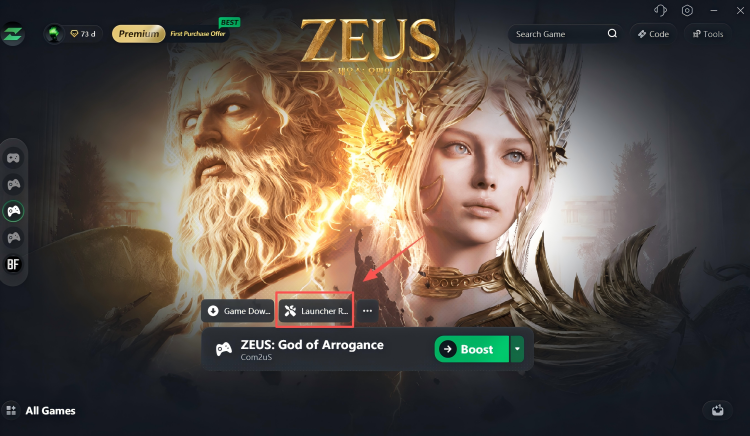
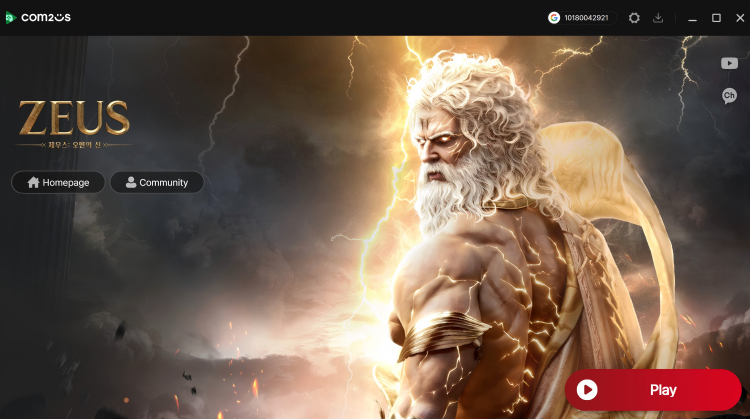
Note: After downloading and running Launcher Repair, a new launcher shortcut will automatically appear on your desktop. Whenever you want to play ZEUS: God of Arrogance in the future, first launch the game platform using this shortcut, then open LagZapper and enable game acceleration to enter the game normally. In some cases, the shortcut icon may appear incorrectly or the shortcut may fail to open. If this happens, please return to the LagZapper client, download and run Launcher Repair again. A new working launcher shortcut will then be generated.